Creating Mobile App UI Mockups with nano-banana
I’m Oikon.
This month, I’m challenging myself with mobile app development and struggling.
When developing applications, you often determine requirements and UI design beforehand. This time, I’ll focus on UI design ideation.
Personally, mobile app design is outside my expertise, so I was wondering what to do. There are methods like these for creating UI mockups:
UI Mockup Examples:
- Paper prototyping: Sketch screen layouts with paper and pen
- Wireframes: Create simple designs focusing on basic structure and placement (Balsamiq, Draw.io)
- Design tool mockups: Create designs that look close to the actual app (Figma, Sketch, Adobe XD)
Mobile app development beginners often stumble on concrete app UI mockups. It would be nice to use Figma, but there’s a learning curve.
While thinking about whether there’s a good method just for app UI ideation, Google recently released Gemini 2.5 Flash Image (nicknamed nano-banana🍌), so I decided to use this for UI mockups.
This article is more about prompt engineering, but I hope it’s helpful for using nano-banana.
Gemini 2.5 Flash Image (nano-banana)
Gemini 2.5 Flash Image (nano-banana) is an image generation AI model released by Google on August 26, 2025.
For reference, I’ll also quote prompt collections:
Google Official Prompt Collection
Nano-banana Prompt Repository
Prompt Used This Time
With the prompt used this time, you can generate UI mockup images like this:
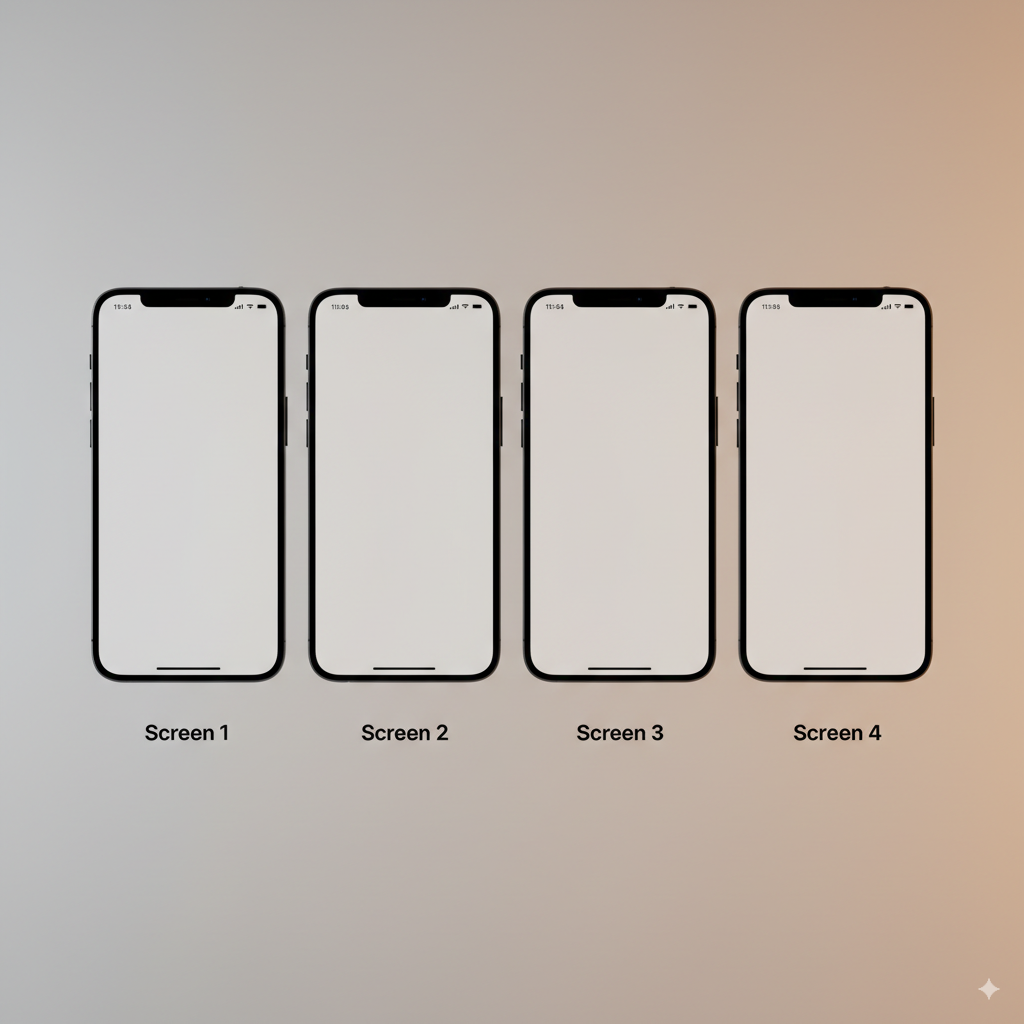
UI Mockup
The prompt is a template like below. It’s somewhat customizable.
<Create a professional iOS app mockup figure>
showing exactly 4 iPhone screens arranged horizontally in a single high-resolution image. The screens demonstrate a complete user journey for a [Application Type] application.

<APP SPECIFIC CUSTOMIZATION>
Application Core: [User Input of application core]
Primary Features:
1. [User Input of feature 1, example: Dashboard]
2. [User Input of feature 2, example: Figure]
3. [User Input of feature 3, example: Charts]
4. [User Input of feature 4, example: Log]
Visual Theme: [User Input of Theme, example: Energetic orange and black theme, bold sans-serif typography, high contrast design, motivational imagery]
Target Audience: [User Input of audience, example: Aged 20-40]
<END CUSTOMIZATION>

DETAILED VISUAL SPECIFICATIONS:
Device Frame: Modern iPhone 15/16 Pro Max with Dynamic Island, edge-to-edge display, no home button
Screen Resolution: High-quality, crisp rendering at 2796×1290 pixels per screen
Background Setting: Subtle blurred gradient or professional studio backdrop that complements the app theme
Lighting: Soft, even lighting with minimal shadows for professional presentation

UI/UX REQUIREMENTS:
Native iOS 17+ components using SwiftUI design language
System font (SF Pro) with proper typography hierarchy
Consistent spacing following Apple's Human Interface Guidelines (8pt grid system)
Interactive elements clearly distinguishable (buttons, toggles, text fields)
Proper safe areas and status bar implementation
Tab bar or navigation structure visible where appropriate
Realistic, meaningful content (no lorem ipsum) - use actual examples relevant to the app
Clear visual flow from left to right showing user progression

COMPOSITION AND STYLE:
Arrange 4 iPhone mockups in a horizontal line with equal spacing
Each screen labeled with its function at the top or bottom
Consistent color palette throughout all screens
Use depth and shadows to create professional mockup appearance
Include subtle animations indicators where relevant (like transition hints)
Show different states (empty states, filled states, active selections)

OUTPUT FORMAT:
Single cohesive figure, 4K resolution minimum, professional presentation quality suitable for App Store submission or investor pitch deck. Photorealistic device rendering with the app screens perfectly integrated.
The prompt template is structured as follows. The prompt template itself was created by Claude.
- Basic requirements (User Input required)
- Purpose: Create iOS app mockup
- Basic specs: Arrange 4 iPhone screens horizontally
- Use: User Journey visualization
- Brackets [ ] are input placeholders
- User customization section (User Input required)
- Variable parts users can freely change
- Specify app features, 4 main features, visual theme, target audience
- Brackets [ ] are input placeholders
- Visual specifications (DETAILED VISUAL SPECIFICATIONS)
- Latest iPhone models (with Dynamic Island)
- Background and lighting
- UI/UX requirements (UI/UX REQUIREMENTS)
- Apple’s official Human Interface Guidelines compliant
- Native iOS components
- Typography and spacing
- Composition and style (COMPOSITION AND STYLE)
- 4 screens horizontal arrangement
- Color palette
- Appearance
- Output format (OUTPUT FORMAT)
- Single cohesive figure, 4K resolution
- Professional presentation quality
You can try it by just filling in the first (<Create a professional iOS app mockup figure>) and second (<APP SPECIFIC CUSTOMIZATION>) parts of the template. English prompts seemed to produce better nano-banana output, so it’s in English.
Generated Mobile App UI Mockup Samples
Let me show some examples of app UI mockups actually generated. Prompts are only the user replacement parts of the template since the full version is long.
Fitness App
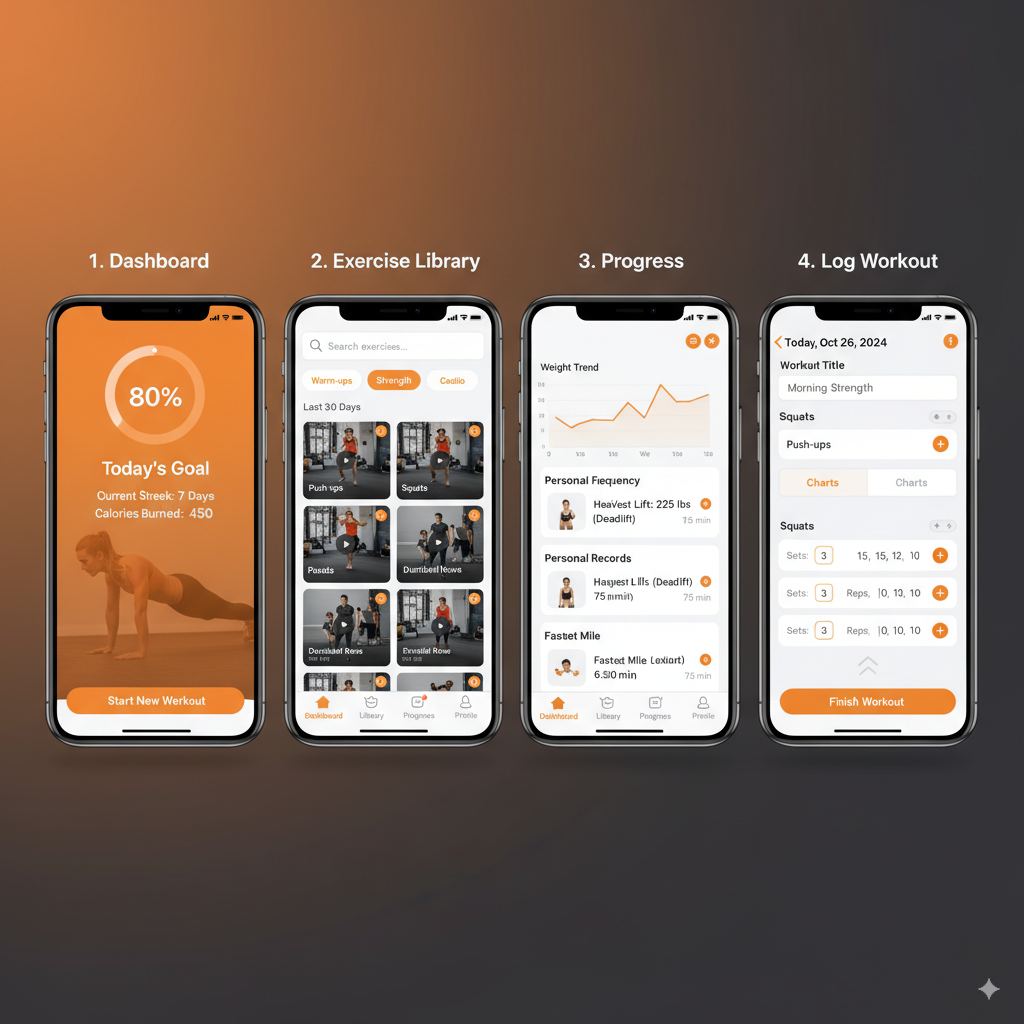
Fitness App UI Mockup
Customization Prompt:
<Create a professional iOS app mockup figure>
showing exactly 4 iPhone screens arranged horizontally in a single high-resolution image. The screens demonstrate a complete user journey for a Fitness tracker application.

<APP SPECIFIC CUSTOMIZATION>
Application Core: Personal fitness tracking and workout planning application with AI coaching
Primary Features:
1. Dashboard - Daily activity summary, calories burned, steps, heart rate
2. Workout Library - Exercise videos, custom routines, difficulty levels
3. Progress Charts - Weight trends, strength gains, body measurements over time
4. Activity Log - Workout history, personal records, achievement badges
Visual Theme: Energetic orange and black theme, bold sans-serif typography, high contrast design, motivational imagery with gradient accents
Target Audience: Health-conscious individuals aged 20-40
<END CUSTOMIZATION>
Cooking Recipe App
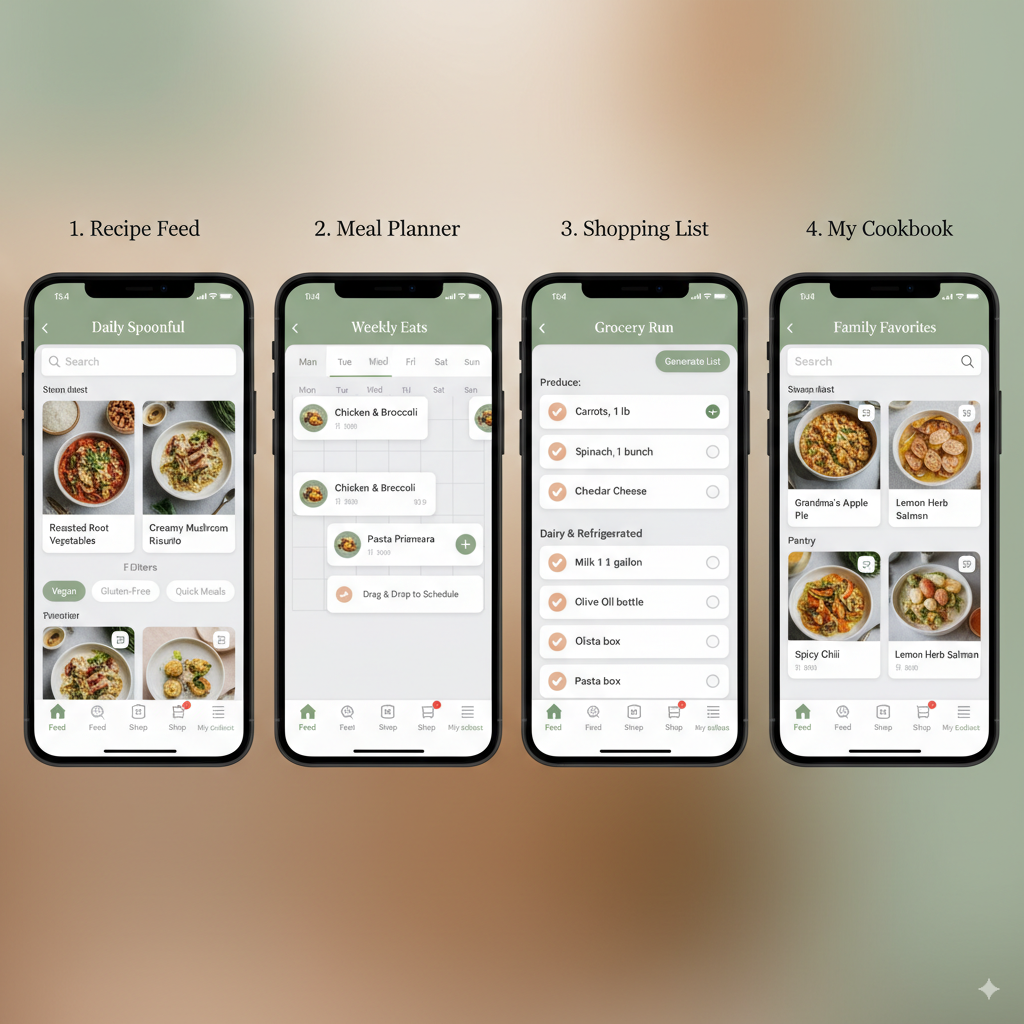
Cooking Recipe App UI Mockup
Customization Prompt:
<Create a professional iOS app mockup figure>
showing exactly 4 iPhone screens arranged horizontally in a single high-resolution image. The screens demonstrate a complete user journey for a Cooking recipe application.

<APP SPECIFIC CUSTOMIZATION>
Application Core: Smart recipe organizer with meal planning and grocery list generation
Primary Features:
1. Recipe Feed - Curated daily recipes with dietary filters and seasonal suggestions
2. Meal Planner - Weekly calendar view with drag-and-drop meal scheduling
3. Shopping List - Auto-generated grocery lists organized by store sections
4. My Cookbook - Personal recipe collection with family recipes and notes
Visual Theme: Warm earth tones with sage green accents, elegant serif headers, food photography backgrounds, minimalist card-based layouts
Target Audience: Home cooks and food enthusiasts aged 25-50
<END CUSTOMIZATION>
Financial Management App
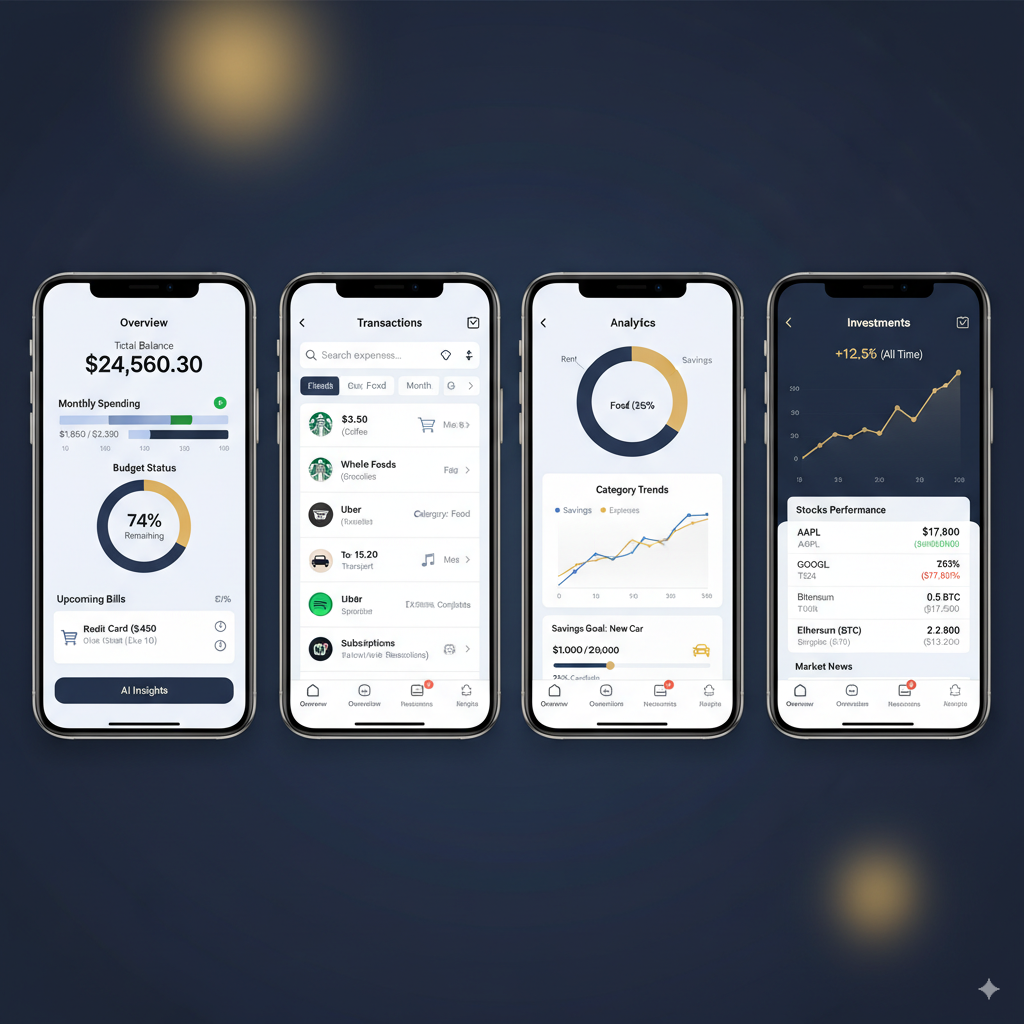
Financial Management App UI Mockup
Customization Prompt:
<Create a professional iOS app mockup figure>
showing exactly 4 iPhone screens arranged horizontally in a single high-resolution image. The screens demonstrate a complete user journey for a personal finance manager application.

<APP SPECIFIC CUSTOMIZATION>
Application Core: Smart personal finance manager with AI-powered spending insights and investment tracking
Primary Features:
1. Overview - Total balance, monthly spending summary, budget status, upcoming bills
2. Transactions - Categorized expense list with merchant logos, search and filters
3. Analytics - Spending breakdown charts, category trends, savings goals progress
4. Investments - Portfolio performance, stock watchlist, crypto holdings, market news
Visual Theme: Professional navy blue and gold accents, clean geometric patterns, financial data visualizations with glassmorphism effects, trust-inspiring design
Target Audience: Young professionals and investors aged 25-45
<END CUSTOMIZATION>
Summary
This time I introduced a prompt for ideation of mobile app UI mockups.
Whether it can be developed into practical UI components depends on the developer, but I personally think it’s good that nano-banana can be used for app design ideation.
I also learned that nano-banana can generate images of reasonably consistent quality with well-crafted prompts.
I hope this article is helpful.
Follow Me on 𝕏!
I also share information on 𝕏, so I’d appreciate it if you followed me!

Addendum
2025/9/14: Others have tried it, so I’m posting for reference.
References