Why I Think Kiro's Agent Steering Mechanism is Great
This article was written manually.
I’m Oikon.
On Tuesday, July 15, 2025, AWS released the Kiro Preview version AI editor.
Kiro’s fundamental philosophy is Spec-driven Development.
- Requirements
- Design
- Tasks
Development flows by setting these three in Specs. Kiro generates documents for each and provides dedicated UI.
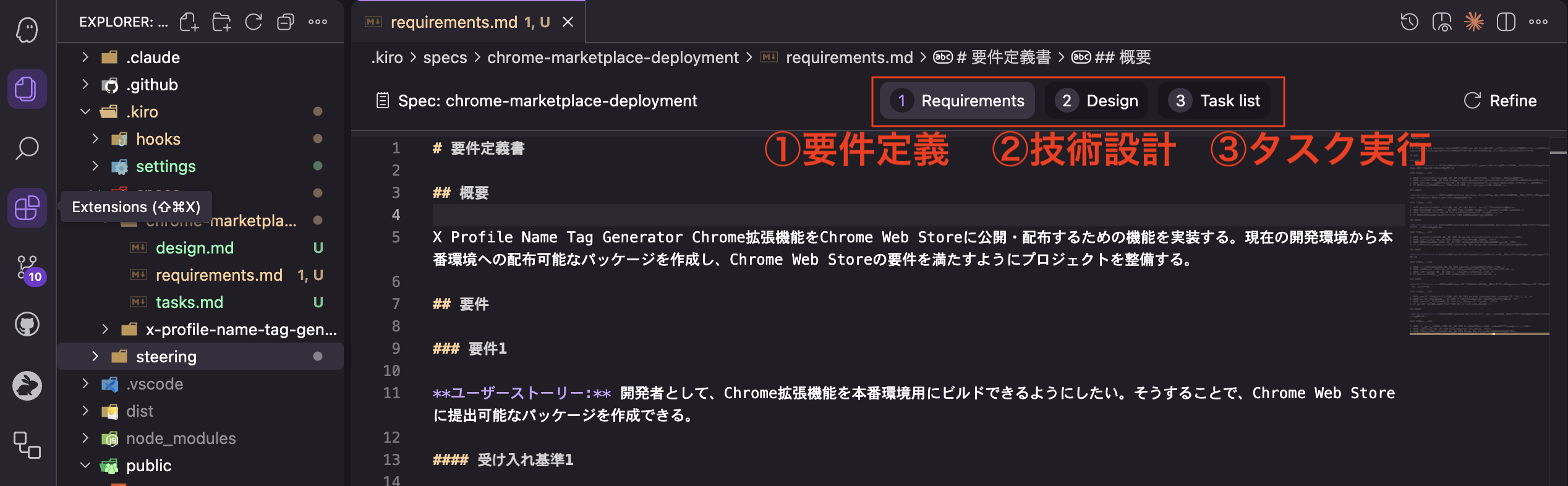
This spec-driven development uses the three documents prepared in Specs for development.
In this article, I’d like to introduce Agent Steering, which supports this spec-driven development behind the scenes. It’s not getting much attention currently, but Kiro has given us hints for future AI agent-driven development.
By the way, as of July 25, Kiro is on a waitlist.
Kiro’s Agent Steering

Agent Steering Overview
Agent Steering provides Kiro with persistent context about the project through Markdown files under .kiro/steering/. I think of it as similar to Claude Code’s CLAUDE.md or Gemini CLI’s GEMINI.md.
UI
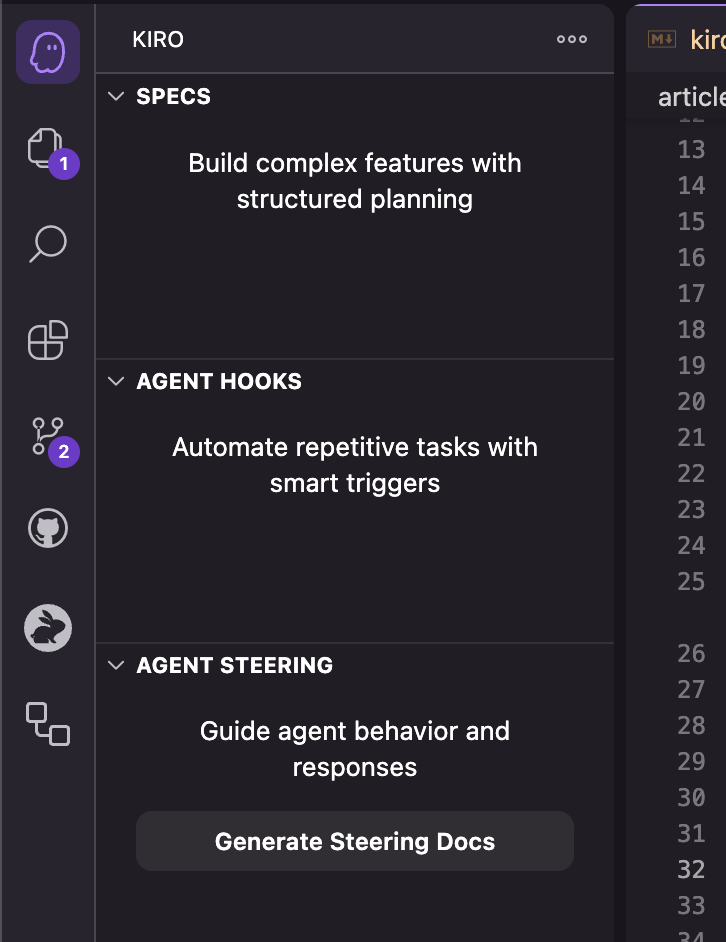
Kiro’s Agent Steering exists as the third item in the IDE’s Kiro tab, as shown in the image. By default, no Steering documents exist.
Steering Files
Pressing Generate Steering Docs has Kiro create the following three Steering files:
product.md: Product overview. Defines the product, target audience, main features, and business goals.tech.md: Tech stack. Documents frameworks, libraries, development tools, and technical constraints.structure.md: Project structure. Outlines file organization, naming conventions, and architectural decisions.
By the way, even if you’ve created custom Steering files mentioned later, you can generate the three default documents from the command palette (command+shift+p).
Kiro: Generate project steering documents:
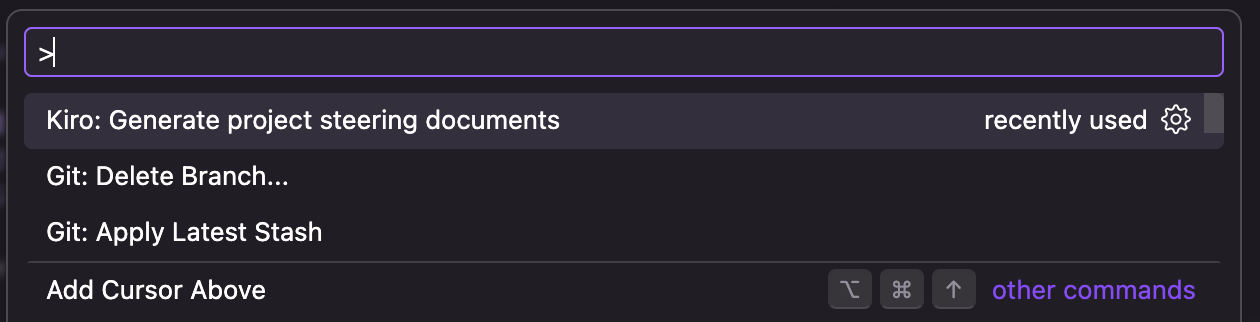
When you run Generate Steering Docs, Kiro creates three Steering documents in .kiro/steering/ as shown in the image.
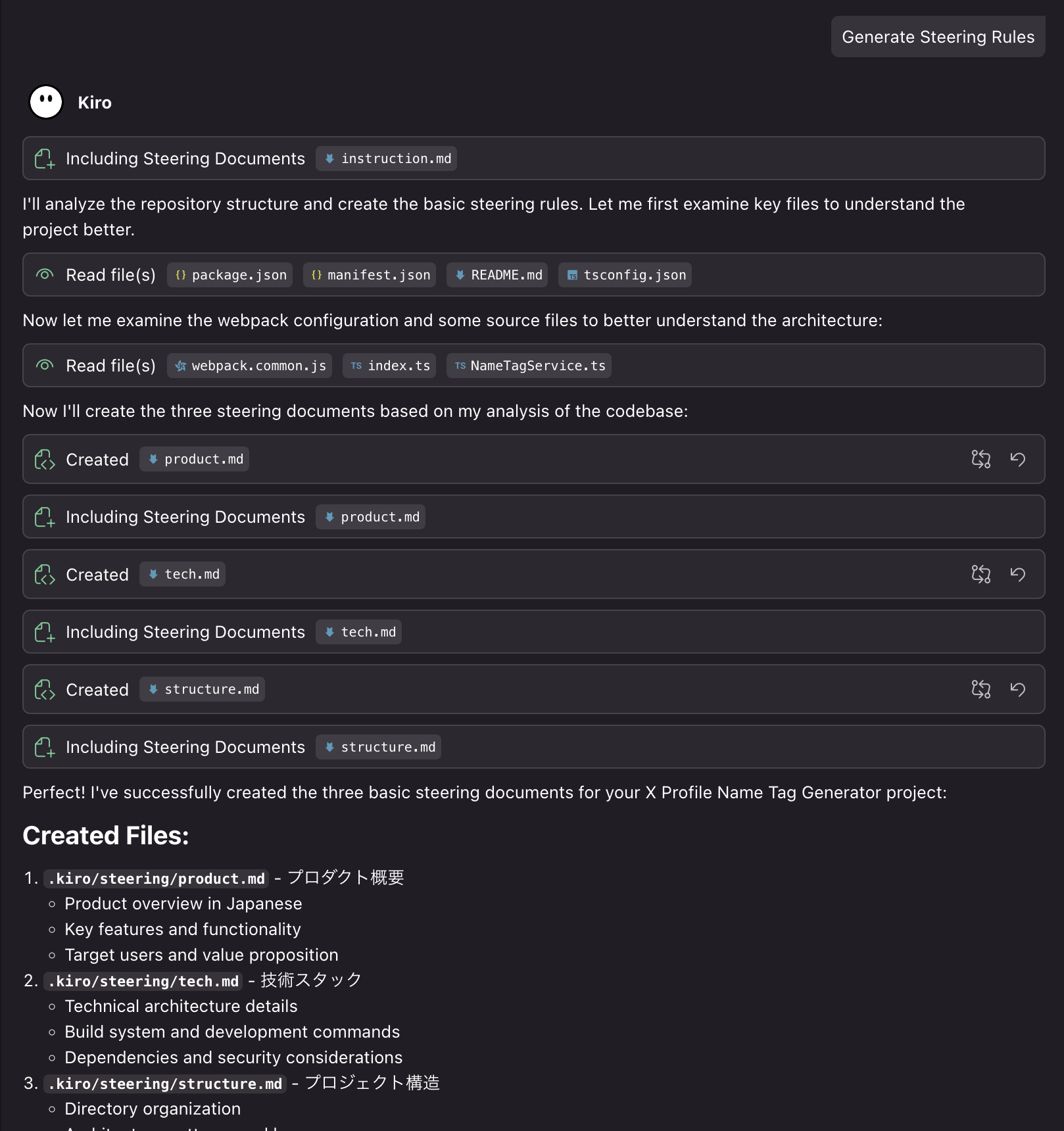
You can see that Kiro checks existing project structure and configuration files when creating Steering files.
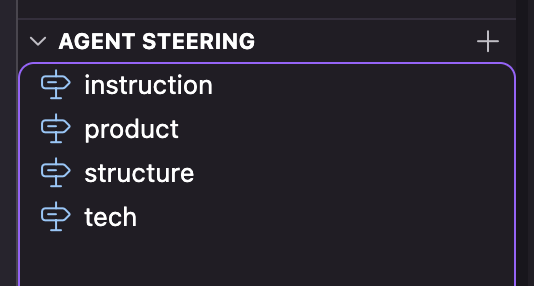
Once generated, they appear in the Agent Steering View as follows:
Custom Steering Files
In addition to default Steering files, users can create their own Custom Steering files.
- Press the
+button in the Agent Steering View - Use
Kiro: Generate a custom steering filein the command palette
These are the two ways to create them.
For example, creating a custom Steering file like the following will have specifications and other documents created in Japanese:
---
inclusion: always
---

# Guidelines

## Documentation Standards

### Spec Planning Documents
- Generate/Update `requirements.md` in Japanese
- Generate/Update `design.md` in Japanese
- Generate/Update `tasks.md` in Japanese

### Steering Documents
- Generate/Update `product.md` in Japanese
- Generate/Update `tech.md` in Japanese
- Generate/Update `structure.md` in Japanese
It’s written in English, but it probably works in Japanese too.
Steering File Scope
Steering files can limit their scope by adding options at the file’s beginning. Following the official documentation, I’m writing in yaml, but you can add it to md files.
- Always load (default):
---
inclusion: always
---- Conditional loading:
---
inclusion: fileMatch
fileMatchPattern: "components/**/*.tsx"
---- Manual loading:
---
inclusion: manual
---
For manual loading, specify #steering-file-name.md in the prompt to load it.
Personally, I found the ability to provide persistent context flexibly to be great. I’ll discuss this more later.
Steering-Related Commands
Kiro’s Steering-related commands include the following:
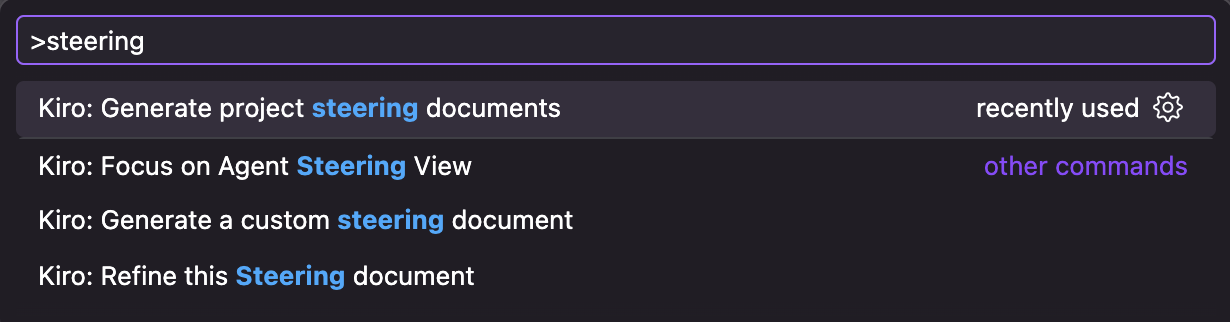
One I haven’t mentioned is Kiro: Refine this Steering document.
This is a command that has Kiro update the Steering document open in Kiro’s editor.
What’s Good About Kiro’s Agent Steering
From here, I’ll analyze the good points of Kiro’s Agent Steering:
- AWS’s proposal for essential context
- Ease of management through context splitting
- Flexibility in context scope
Let me share my thoughts on each.
AWS’s Proposal for Essential Context
The first thing I thought when using Kiro was, “Is this the same as Claude Code’s CLAUDE.md?”
For reference, let me supplement CLAUDE.md: it’s context always passed to Claude Code. It typically contains “project overview,” “structure,” “tech stack,” “rules,” etc.
Indeed, the three Steering files generated by Kiro (product.md, tech.md, structure.md) contain content similar to what you’d write in CLAUDE.md.
CLAUDE.md also creates a default file with /init, but the content often differs for each project.
Personally, I think it’s great that Kiro, through its three Steering files, demonstrates AWS’s view that “product overview,” “tech stack,” and “project structure” are necessary for AI agent coding.
Ease of Management Through Context Splitting
Kiro enables splitting context that was previously given in a single file like CLAUDE.md through Steering files.
This has the following benefits:
- Context splitting by domain
- Improved maintainability of persistent context
- Clear context presentation to AI agents
I’ve recently felt limitations with single-file persistent context management. Also, writing multiple instructions in one file creates documents that can only apply to that specific project.
Context splitting through Steering files feels like a good approach for easier domain-based management.
The official documentation also recommends splitting Steering files by domain:
Keep Files Focused One domain per file - API design, testing, or deployment procedures.
Let me also quote typical examples:
Common Steering File Strategies
API Standards (
api-standards.md) - Define REST conventions, error response formats, authentication flows, and versioning strategies. Include endpoint naming patterns, HTTP status code usage, and request/response examples.Testing Approach (
testing-standards.md) - Establish unit test patterns, integration test strategies, mocking approaches, and coverage expectations. Document preferred testing libraries, assertion styles, and test file organization.Code Style (
code-conventions.md) - Specify naming patterns, file organization, import ordering, and architectural decisions. Include examples of preferred code structures, component patterns, and anti-patterns to avoid.Security Guidelines (
security-policies.md) - Document authentication requirements, data validation rules, input sanitization standards, and vulnerability prevention measures. Include secure coding practices specific to your application.Deployment Process (
deployment-workflow.md) - Outline build procedures, environment configurations, deployment steps, and rollback strategies. Include CI/CD pipeline details and environment-specific requirements.
Flexibility in Context Scope
What I found good about Kiro’s Steering files is the ability to adjust context scope.
---
inclusion: fileMatch
fileMatchPattern: "components/**/*.tsx"
---
As mentioned earlier, adjusting inclusion eliminates the need to load all Steering files.
Previously, we passed one large persistent context via CLAUDE.md, but now we can take an approach of not passing unnecessary context and not polluting the context window.
From the perspective of context engineering, which has been a hot topic recently, this enables more flexible context passing than before.
Why Agent Steering Isn’t Getting Much Attention
I’ve been saying Kiro’s Agent Steering is great, but looking at Kiro users, it’s not getting that much attention.
I think it’s because Kiro’s coding agent implementation capability and stability are weak.
Since Kiro is currently a Preview version, available AI models are limited to Claude Sonnet 4 or Claude Sonnet 3.7.
Many users feel the implementation capability lacks compared to Claude Opus 4.
Also, since Kiro Preview is free to use, it’s currently congested, and the AI agent often crashes when using Claude Sonnet 4.
Due to this background, many users seem to delegate only design to Kiro and have Claude Code do the implementation.

Personally, I think this trend is unavoidable (I also use it that way now).
I believe when Kiro can stably use high-performance AI models like Claude Code in the future, this Agent Steering mechanism will come alive.
Summary
In this article, I introduced Agent Steering from AWS’s AI editor “Kiro.”
Personally, it gave me good hints about mechanisms for passing context to AI agents.
- AWS’s proposal for essential context
- Ease of management through context splitting
- Flexibility in context scope
I wouldn’t be surprised if Claude Code and others implement Agent Steering like Kiro’s sometime.
Since Kiro can be provided alongside AWS services, I think there’s high potential for growth, so I recommend trying it once.
Follow Me on 𝕏!
I also share information on 𝕏, so I’d appreciate it if you followed me!

References