Deep Dive into Claude Code on the Web Specifications
- Investigation results of the Claude Code on the Web environment as of November 1, 2025
- Claude Code version was 2.0.25 at the time of writing
- Sandbox behavior has already changed. Please test actual behavior in your own environment
Update: January 8, 2026 I updated this article’s data for the following article:
Using the gh Command in Claude Code on the Web:
Change summary:
- Claude Code 2.0.25 -> 2.0.59
- Updated basic environment specs
- Skills added to allow permission
- sonnet 4.5 -> opus 4.5
- gh unlocked. System prompt changed
If you’re interested in the November specs, please check the change history in my zenn github repository.
I’m Oikon. I usually play around with AI tools, especially Claude Code.
Claude Code has Claude Code on the Web, an environment where you can run Claude Code in your browser. You can develop as long as you have a browser, even without a PC.

Recently, I attended an event called aimeetup and was given the topic “Create something using Claude Code on the Web”, so I decided to investigate Claude Code on the Web specifications.
I hope this helps those who want to understand Sandbox environment limitations or master Claude Code on the Web.
What is Claude Code on the Web?
Claude Code on the Web is an environment for running Claude Code in your browser provided by Anthropic.
Unlike local Claude Code, the biggest appeal is that you can use it from anywhere as long as you have a browser. You can also launch it from the smartphone mobile app.
Basic usage is already written in the following article:

Sandbox Environment
Claude Code on the Web runs in a gVisor-based container environment. gVisor is an application kernel developed by Google, a Sandbox technology that enhances container security.
Basic Specs
| Item | Specification |
|---|---|
| OS | Ubuntu 24.04.3 LTS |
| Container Runtime | gVisor (runsc) |
| CPU | 16 cores |
| Memory | 21GB |
| Disk | 30GB |
| File System | 9p protocol |
| Network | Via proxy (JWT authentication) |
How Claude Code on the Web Works
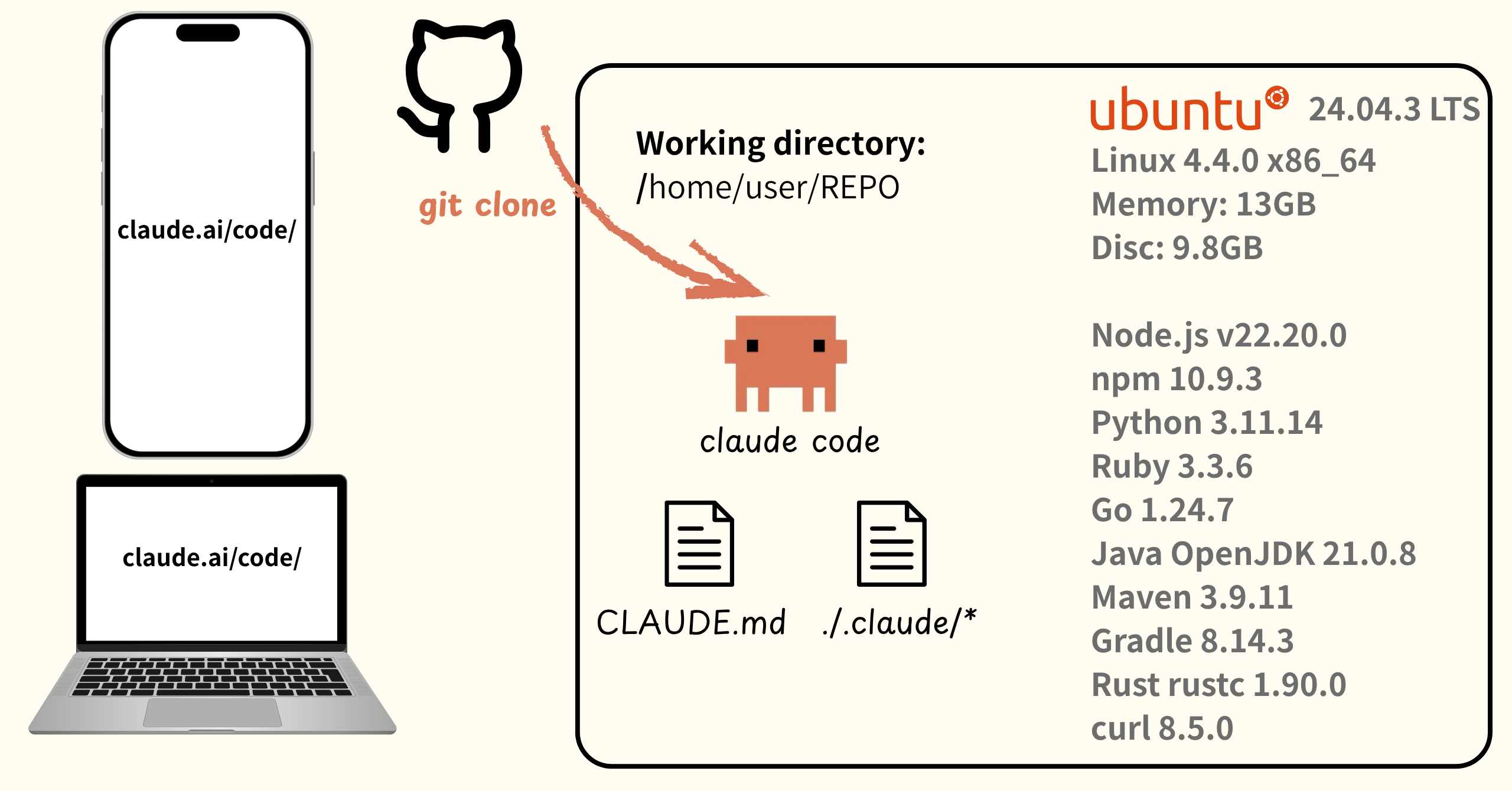
Claude Code on the Web clones a GitHub repository into a gVisor-based container environment and runs Claude Code. Here’s the flow:
- Launch Claude Code on the Web
- Select repository and start chat
- Start Sandbox environment
- Clone repository to Sandbox’s
/home/user/ - Launch Claude Code within git repository
- Start session within launched Claude Code
- Feed session content back to Claude Code on the Web
- Continue session thereafter
In other words, Claude Code on the Web is technology that clones a git repository into a Linux environment and launches claude code. Understanding this premise reveals what’s possible in the Sandbox environment.
Claude Code on the Web Specifications
Since Claude Code on the Web clones a git repository, the only settings you can bring are project settings. That means you can’t bring ~/.claude/ global settings, but you can bring ./.claude/ project settings.
Claude Code on the Web Global Settings
In Claude Code on the Web, there are global settings for Claude Code in ~/.claude/settings.json within the Sandbox.
Contents are as follows:
{
  "$schema": "https://json.schemastore.org/claude-code-settings.json",
  "hooks": {
    "Stop": [
      {
        "matcher": "",
        "hooks": [
          {
            "type": "command",
            "command": "~/.claude/stop-hook-git-check.sh"
          }
        ]
      }
    ]
  },
  "permissions": {
    "allow": ["Skill"]
  }
}
As you can see above, Stop Hooks and permissions (Skill permission) are configured. For those curious about the contents of stop-hook-git-check.sh, I’ll attach it here:
stop-hook-git-check.sh
#!/bin/bash

# Read the JSON input from stdin
input=$(cat)

# Check if stop hook is already active (recursion prevention)
stop_hook_active=$(echo "$input" | jq -r '.stop_hook_active')
if [[ "$stop_hook_active" = "true" ]]; then
  exit 0
fi

# Check if we're in a git repository - bail if not
if ! git rev-parse --git-dir >/dev/null 2>&1; then
  exit 0
fi

# Check for uncommitted changes (both staged and unstaged)
if ! git diff --quiet || ! git diff --cached --quiet; then
  echo "There are uncommitted changes in the repository. Please commit and push these changes to the remote branch." >&2
  exit 2
fi

# Check for untracked files that might be important
untracked_files=$(git ls-files --others --exclude-standard)
if [[ -n "$untracked_files" ]]; then
  echo "There are untracked files in the repository. Please commit and push these changes to the remote branch." >&2
  exit 2
fi

current_branch=$(git branch --show-current)
if [[ -n "$current_branch" ]]; then
  if git rev-parse "origin/$current_branch" >/dev/null 2>&1; then
    # Branch exists on remote - compare against it
    unpushed=$(git rev-list "origin/$current_branch..HEAD" --count 2>/dev/null) || unpushed=0
    if [[ "$unpushed" -gt 0 ]]; then
      echo "There are $unpushed unpushed commit(s) on branch '$current_branch'. Please push these changes to the remote repository." >&2
      exit 2
    fi
  else
    # Branch doesn't exist on remote - compare against default branch
    unpushed=$(git rev-list "origin/HEAD..HEAD" --count 2>/dev/null) || unpushed=0
    if [[ "$unpushed" -gt 0 ]]; then
      echo "Branch '$current_branch' has $unpushed unpushed commit(s) and no remote branch. Please push these changes to the remote repository." >&2
      exit 2
    fi
  fi
fi

exit 0
A brief explanation of stop-hook-git-check.sh operation:
- Check to prevent Hooks looping
- Verify Git repository
- Check for commit changes
- Check for untracked files
- Check for unpushed commits
In other words, it’s prompting Claude to commit + push if there are differences in the repository. This is why Claude Code on the Web commits + pushes immediately after making changes - this Hook is configured.
Claude Code Startup Options
In Claude Code on the Web, Claude Code is launched within the Sandbox. The startup options configured for Claude Code are:
claude \
  --output-format=stream-json \
  --verbose \
  --replay-user-messages \
  --input-format=stream-json \
  --debug-to-stderr \
  --allowed-tools Task,Bash,Glob,Grep,Read,Edit,MultiEdit,Write,NotebookEdit,WebFetch,TodoWrite,WebSearch,BashOutput,KillBash,Tmux,mcp__codesign__sign_file \
  --disallowed-tools Bash(gh:*) \
  --append-system-prompt "You are Claude, ..." \
  --model claude-opus-4-5-20251101 \
  --add-dir /home/user/repo_name \
  --sdk-url wss://api.anthropic.com/v1/session_ingress/ws/session_id \
  --resume=https://api.anthropic.com/v1/session_ingress/session/session_id \
  --debug
Because the --verbose option is specified, startup options can be obtained by having Claude execute something like grep -A 5 "Executing Claude Code" /tmp/claude-code.log.
As you can see above, the model is fixed to Opus 4.5. Specifying “model” in settings.json won’t change it.
Startup options:

The gh command was previously in the prohibited tools, but has now been unlocked. For details, see the following article:
--append-system-prompt contents
You are Claude, an AI assistant designed to help with GitHub issues and pull requests. Think carefully as you analyze the context and respond appropriately. Here's the context for your current task:
Your task is to complete the request described in the task description.

Instructions:
1. For questions: Research the codebase and provide a detailed answer
2. For implementations: Make the requested changes, commit, and push

## Git Development Branch Requirements

You are working on the following feature branches:

 **repository-name**: Develop on branch `branch-name`

### Important Instructions:

1. **DEVELOP** all your changes on the designated branch above
2. **COMMIT** your work with clear, descriptive commit messages
3. **PUSH** to the specified branch when your changes are complete
4. **CREATE** the branch locally if it doesn't exist yet
5. **NEVER** push to a different branch without explicit permission

Remember: All development and final pushes should go to the branches specified above.

## Git Operations

Follow these practices for git:

**For git push:**
- Always use git push -u origin <branch-name>
- CRITICAL: the branch should start with 'claude/' and end with matching session id, otherwise push will fail with 403 http code.
- Only if push fails due to network errors retry up to 4 times with exponential backoff (2s, 4s, 8s, 16s)
- Example retry logic: try push, wait 2s if failed, try again, wait 4s if failed, try again, etc.

**For git fetch/pull:**
- Prefer fetching specific branches: git fetch origin <branch-name>
- If network failures occur, retry up to 4 times with exponential backoff (2s, 4s, 8s, 16s)
- For pulls use: git pull origin <branch-name>
The previous system prompt about gh prohibition has been removed.
The GitHub CLI (
gh) is not available in this environment. For GitHub issues ask the user to provide the necessary information directly.
Features Available in Claude Code on the Web
Claude Code on the Web just launches Claude Code within a Sandbox, but some features from local Claude Code aren’t available. I’ll introduce what you can and can’t do.
CLAUDE.md
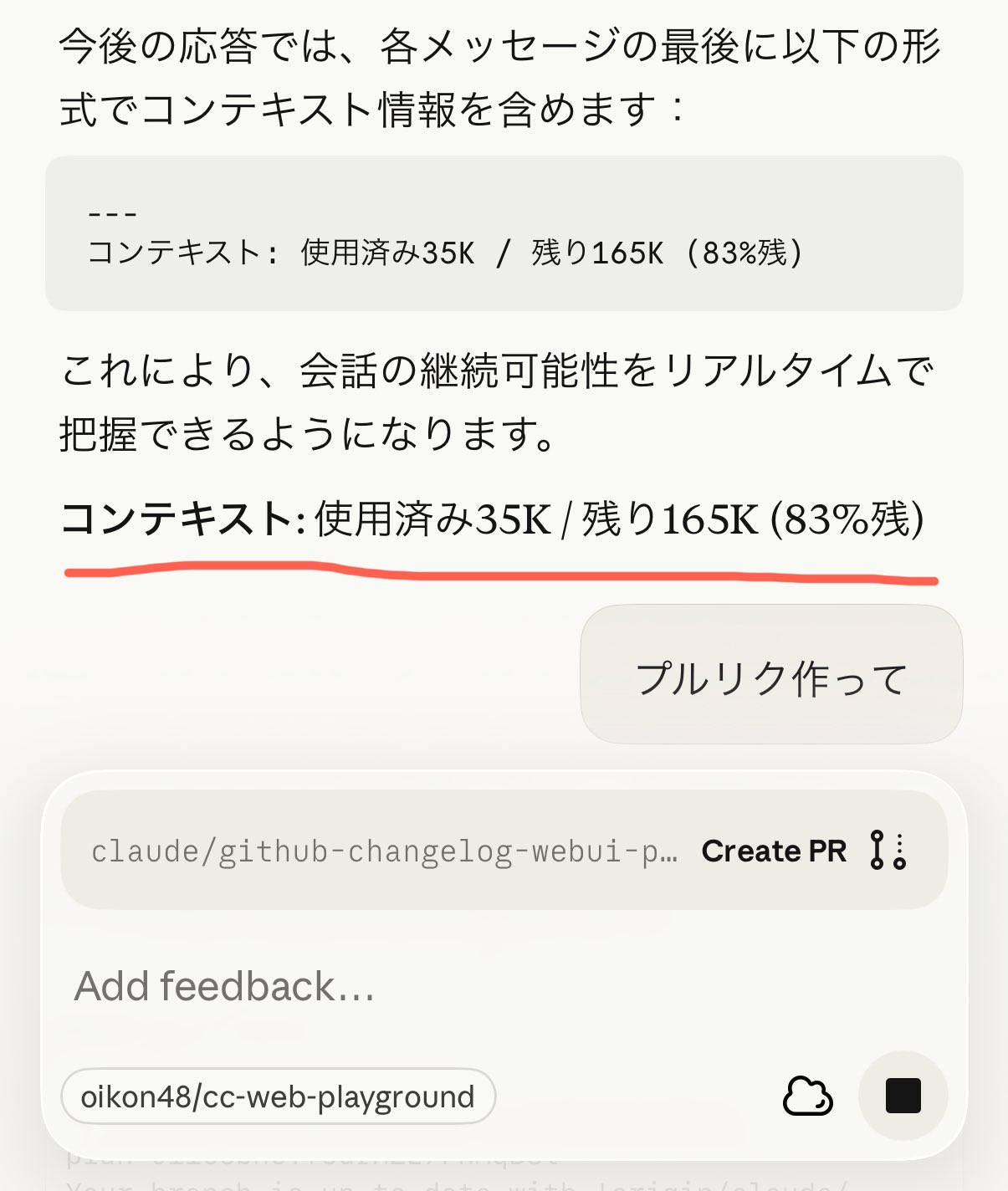
CLAUDE.md contents are reflected. For example, if you write something like this:
## Context Window Report

**Important**: At the end of each response, briefly report context window usage.

Format:
/```
---
Context: Used XXK / Remaining XXK (XX%)
/```

Example:
/```
---
Context: Used 32K / Remaining 168K (84% remaining)
/```
Writing this confirmed that instructions are correctly reflected in Claude Code on the Web as shown in the image.
Slash Command
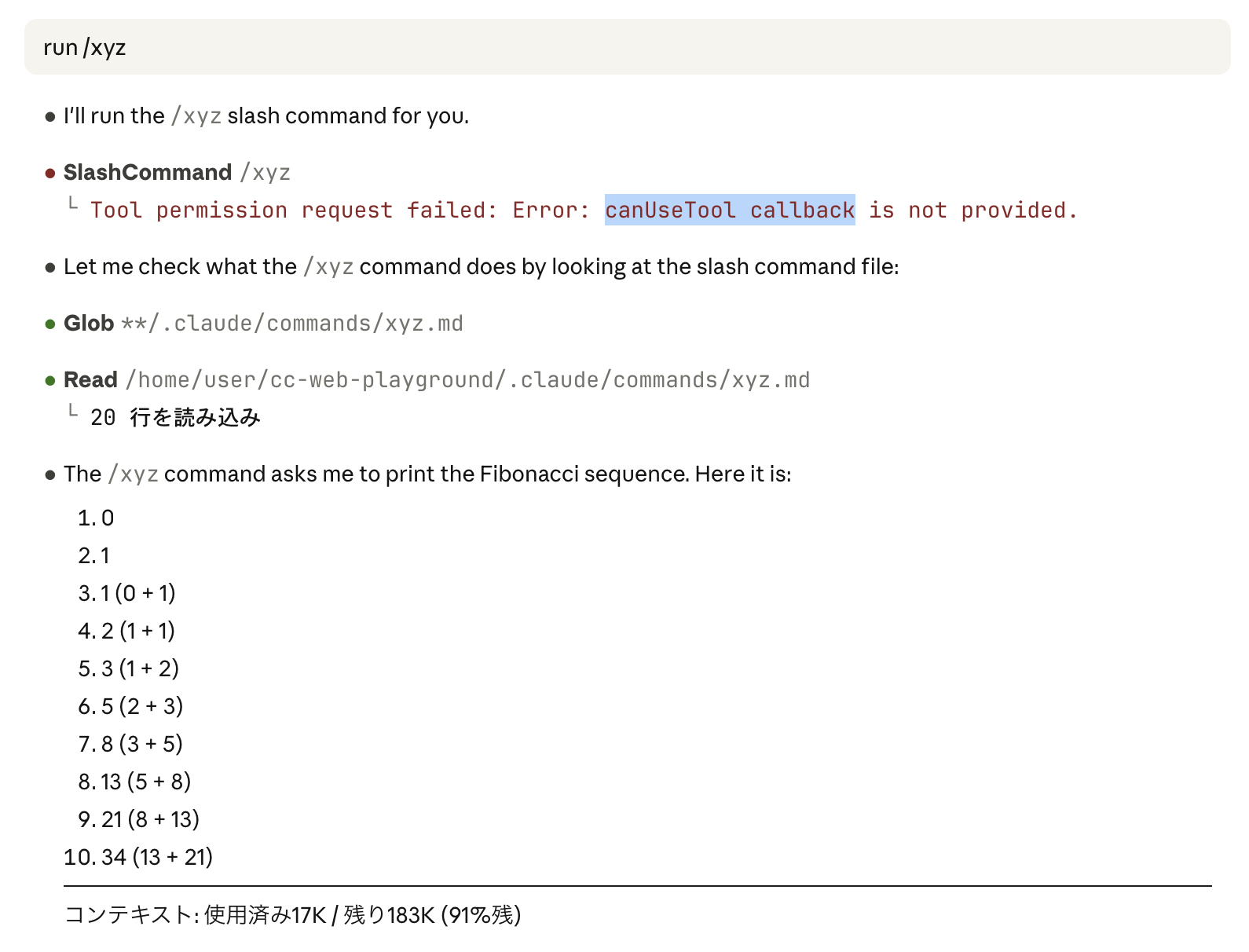
Slash commands (custom slash commands) cannot be used. This is because canUseTool is not available.
However, Claude is smart enough to indirectly execute slash commands by directly reading the Markdown file.
In the image, I’m writing in natural language like run /xyz. Currently, if you try to directly invoke /xyz as a command, Claude Code on the Web has a bug where no response is returned.
Hooks
Hooks can be used. As mentioned earlier, you can see that stop-hooks-check-git is configured in Claude Code’s global settings.
Subagents
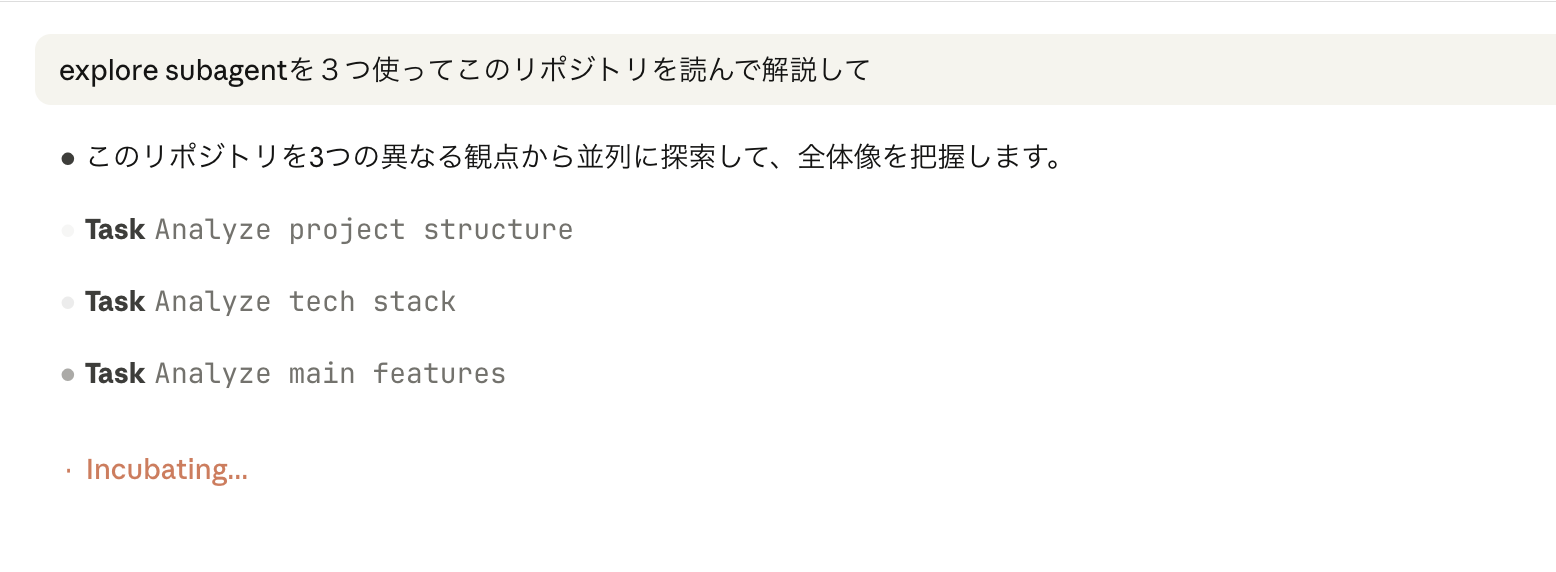
Subagents can be used. The image above shows parallel execution of the default @agent-Explore subagent.
Unlike local Claude Code, Subagents are executed with the label Task, and specific Subagent names are not displayed. (This was also the case in Claude Code 1.0.x era)
Skills
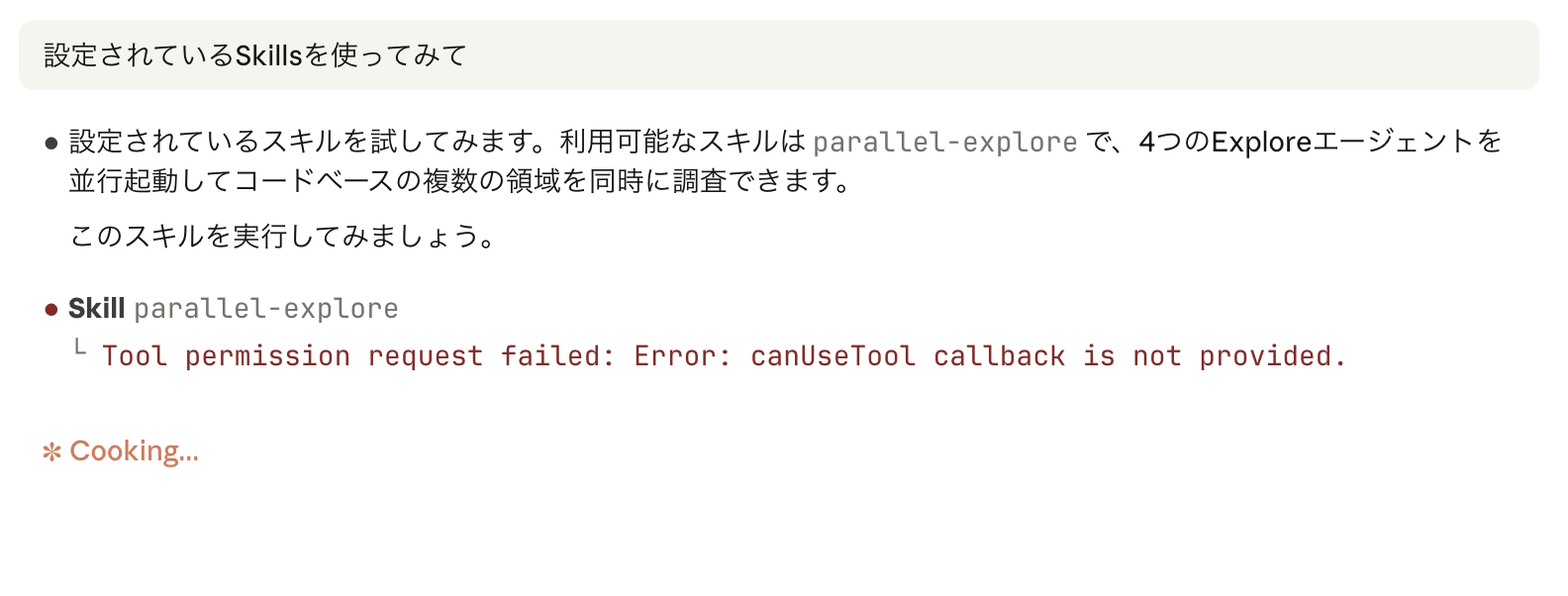
Skills can be used. "allow": ["Skill"] was added to global settings permissions.
output-style
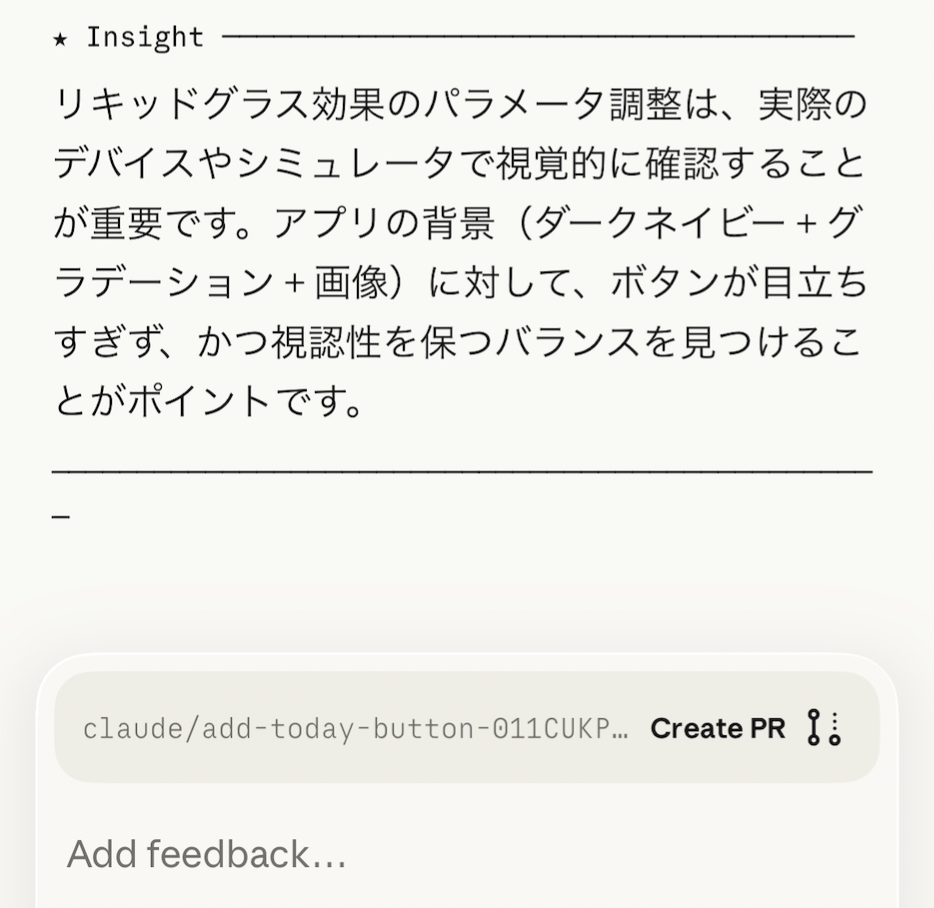
output-style can be used. Well, output-style apparently has less than 1% usage rate, so it was supposed to be deprecated on November 5th lol.
About migration:

I included it because I personally like this feature.
2025-11-05 Update
The output-style deprecation was reversed due to community feedback! output-style is usable as of 2.0.33
Summary
This time, I investigated the Claude Code on the Web Sandbox environment.
Understanding Claude Code on the Web specifications and behavior should help you see what’s possible.
Follow Me on X
I also share information on X, so I’d appreciate it if you followed me!

References