The Claude Code 2.0.0 Major Update
This covers Claude Code v2.0.0 - v2.0.5 as of October 3, 2025
I’m Oikon. I usually spend my time exploring AI tools, especially Claude Code.
Claude Code has received its 2.0.0 major update! This is the first major update since version 1.0.0 was released on May 23, 2025. During this period, Claude Code went through updates all the way to version 1.0.126.
In this article, I’ll summarize what I shared on X about Claude Code 2.0.0, along with additional insights I discovered after using it for several days.
Update Overview
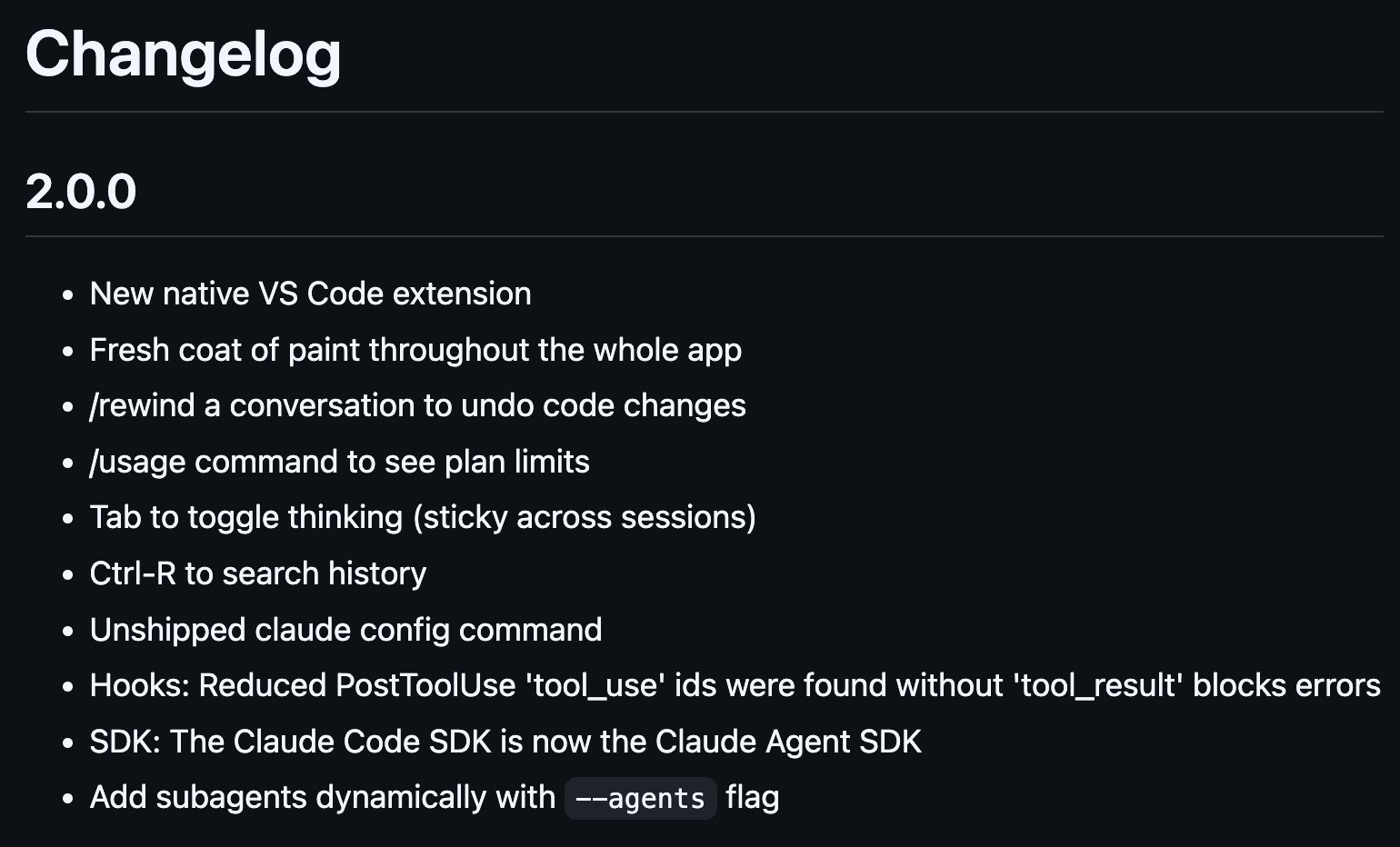
Here are the changes in Claude Code 2.0.0:
- Native VSCode extension
- Complete UI/UX refresh
/rewindcommand: Conversation rollback/usagecommand: Check plan limits- Tab key to toggle thinking mode (persists across sessions)
- Ctrl+R for history search
- Config command addition (Unshipped)
- Hooks: Reduced PostToolUse errors
- Claude Code SDK renamed to Claude Agent SDK
--agentsflag for dynamically adding subagents
Let me walk you through what I’ve tested.
CHANGELOG.md:
Native VSCode Extension
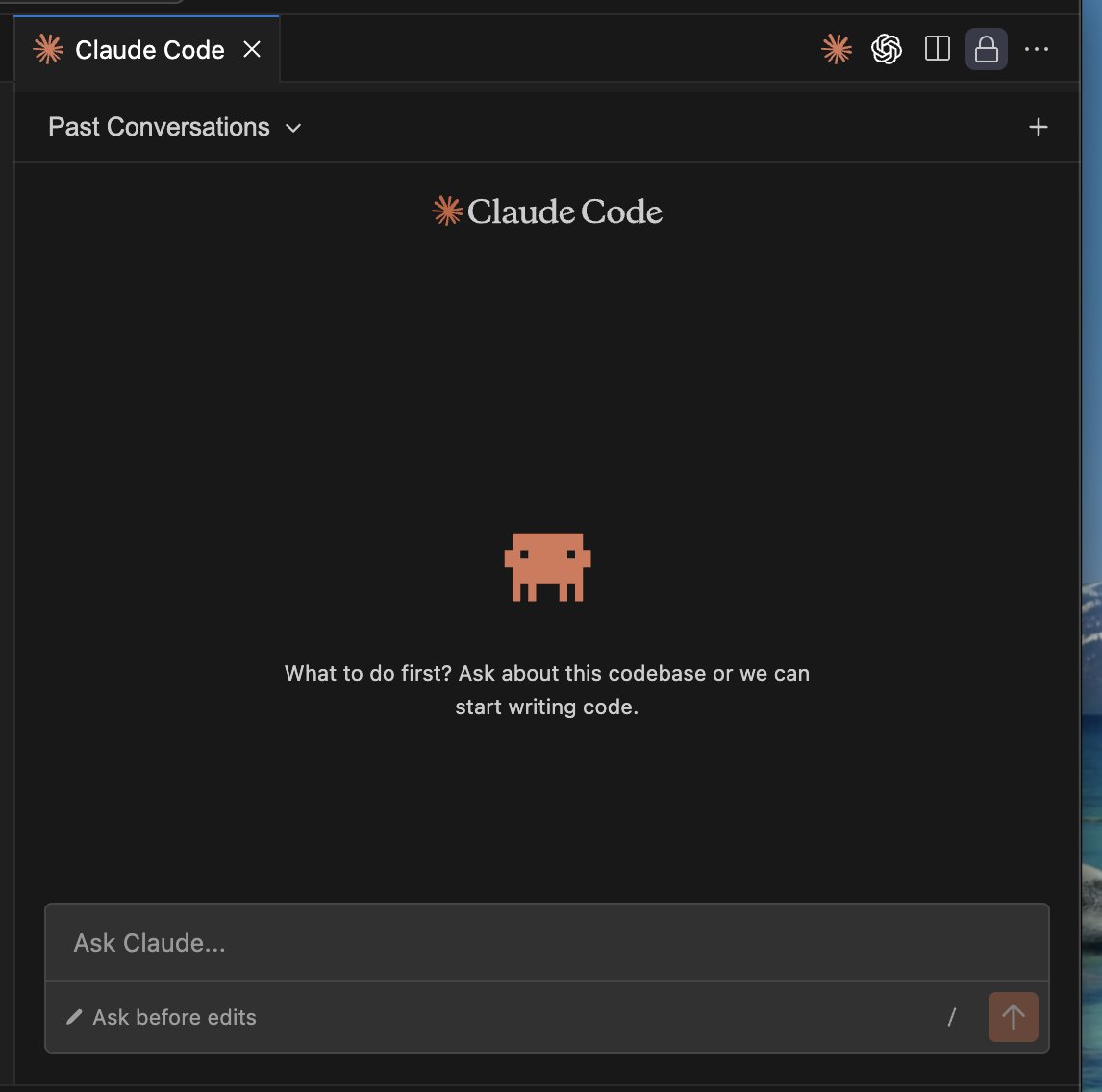
The VSCode extension has been completely revamped, transitioning from a CLI wrapper to a chat window format similar to Cursor or Codex. You can install it from the VSCode Marketplace. Of course, you can also install it on VSCode forks like Cursor.
In the initial 2.0.0 release, there was a bug where pressing Enter during Japanese input conversion would immediately send the chat, but this has been fixed as of version 2.0.5.
You can access past chat history from “Past Conversations” in the top left. The chat history is synchronized between Claude Code VSCode and the Claude Code terminal.
You can switch between three chat modes using the button in the bottom left or Shift + Tab:
- Ask before edits: Prompts for confirmation before editing
- Edit automatically: Skips basic edit confirmations
- Plan mode: Planning mode
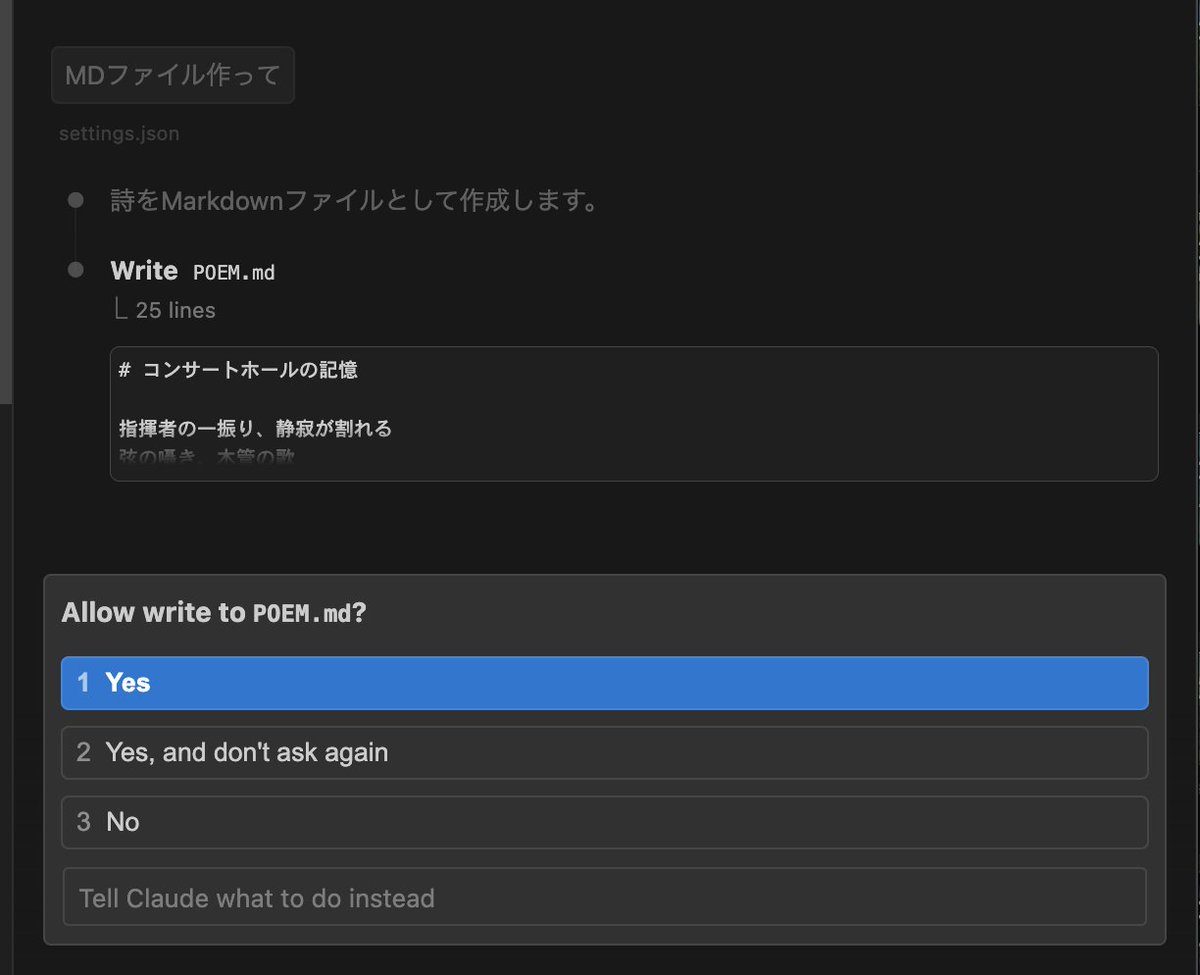
With “Ask before edits,” you’ll be prompted for confirmation when editing files.
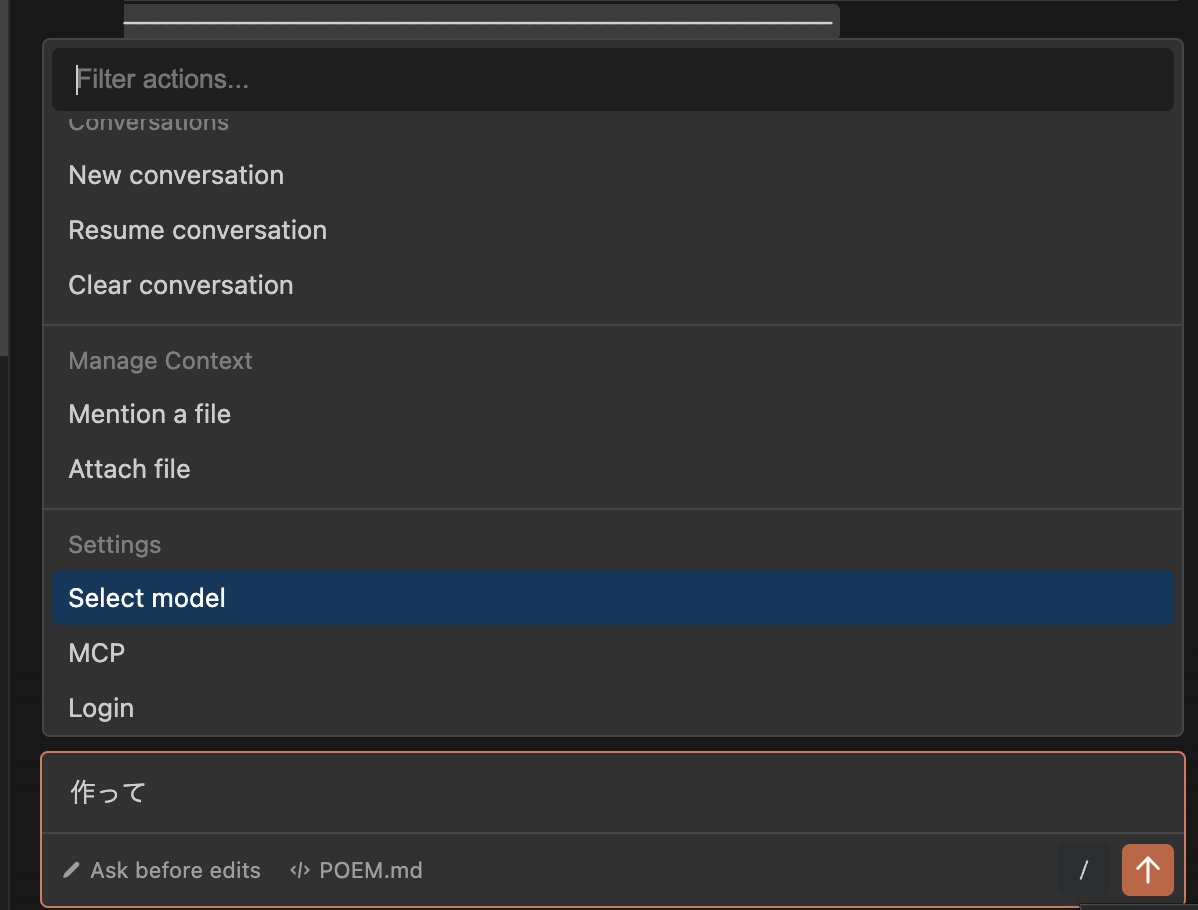
Pressing the / button in the bottom right reveals several menu options:
- New conversation
- Resume conversation
- Clear conversation
- Mention a file
- Attach file
- Select model
- MCP
- Login
In addition to the above, default slash commands and custom slash commands are available just like in Claude Code CLI.
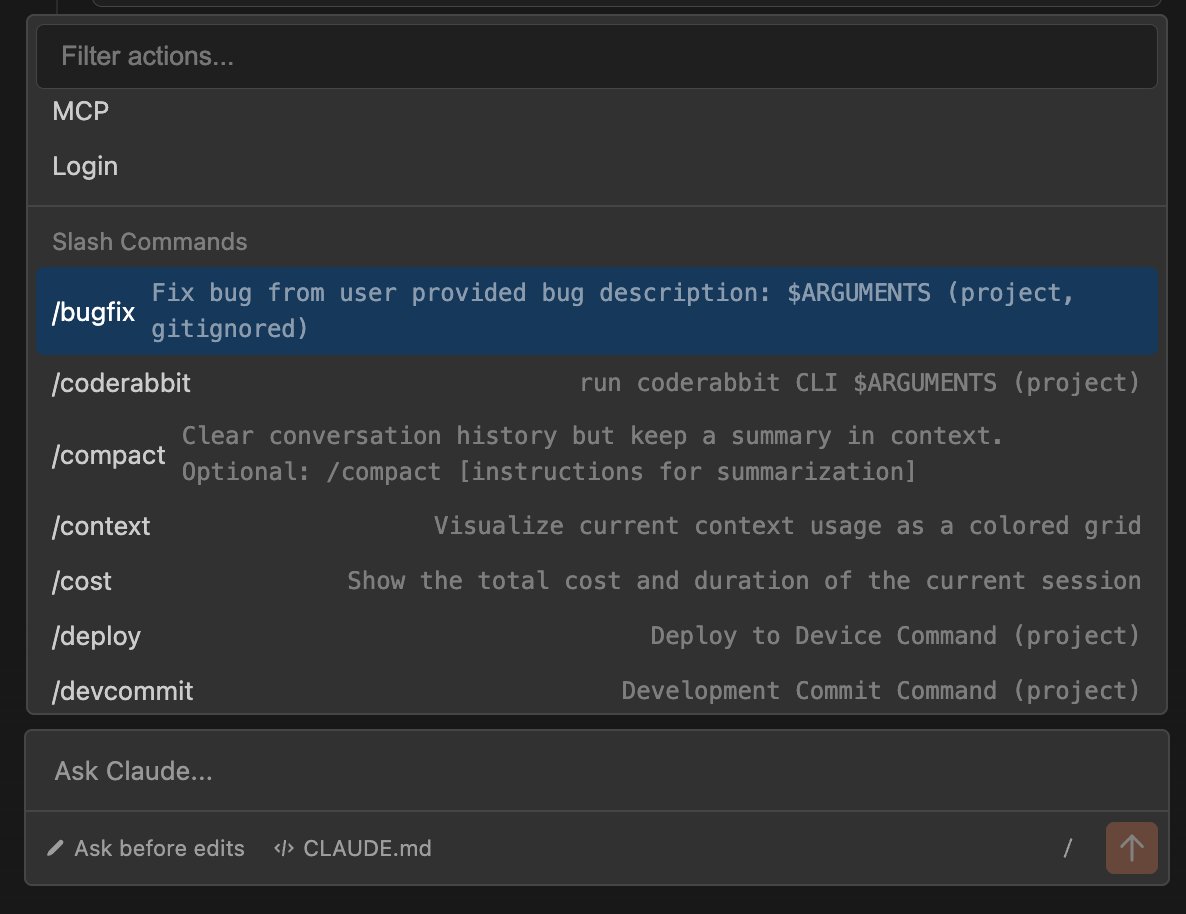
Note that while Claude Code CLI allows specifying subagents with @, Claude Code VSCode only supports file selection as of version 2.0.0 and cannot directly specify subagents.
/rewind Command: Conversation Rollback (Checkpoints Feature)
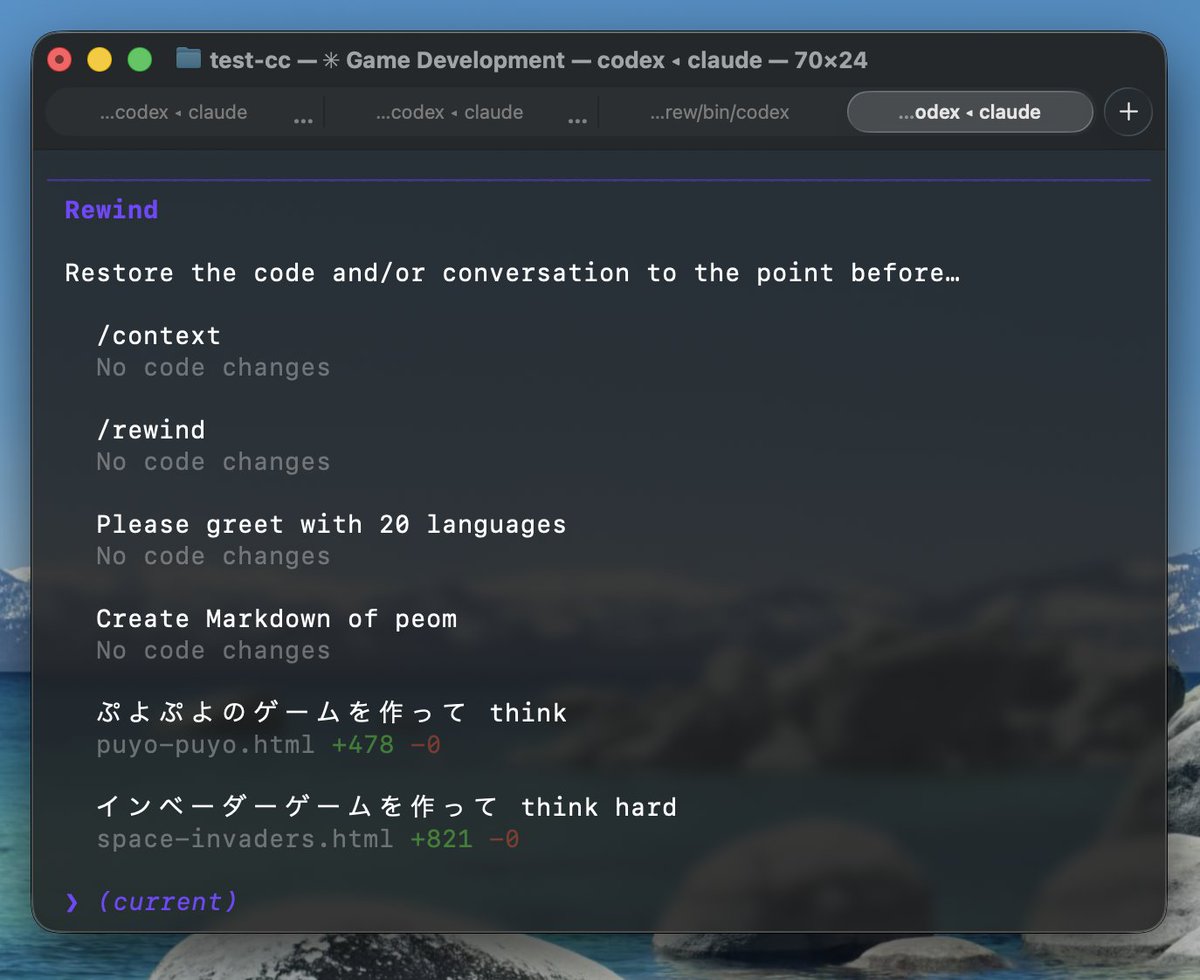
Checkpoints was one of the most requested features, and it has been implemented as the /rewind command. You can also activate it by pressing Esc twice.
This feature automatically saves checkpoints before Claude makes significant edits, allowing you to roll back to a previous state at any time.
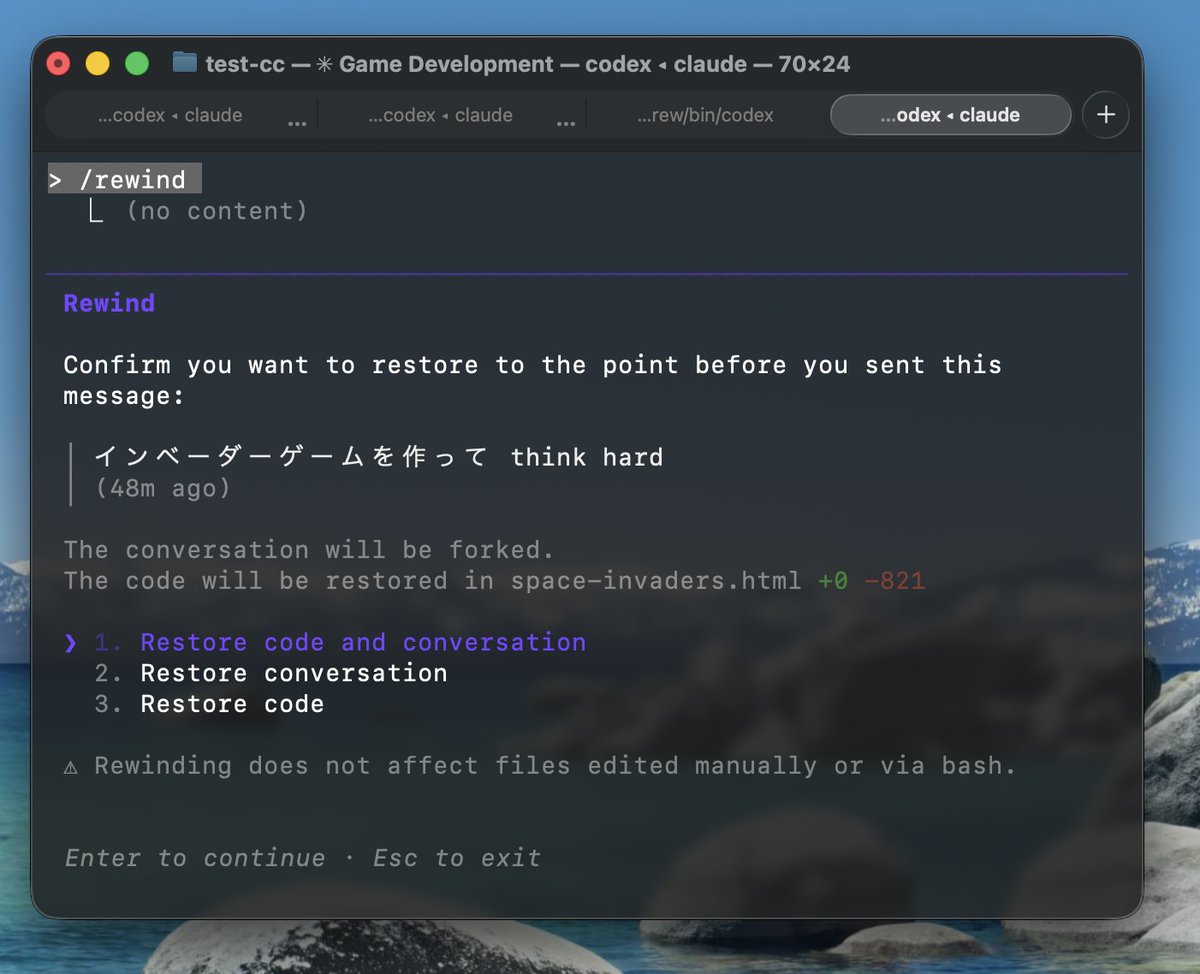
You can view the conversation history and return to a selected point. There are three options when rolling back:
- Restore Code and Conversation
- Restore Conversation
- Restore Code
You can flexibly choose what to restore between code and conversation. This makes experimentation much easier.
/usage Command: Check Plan Limits
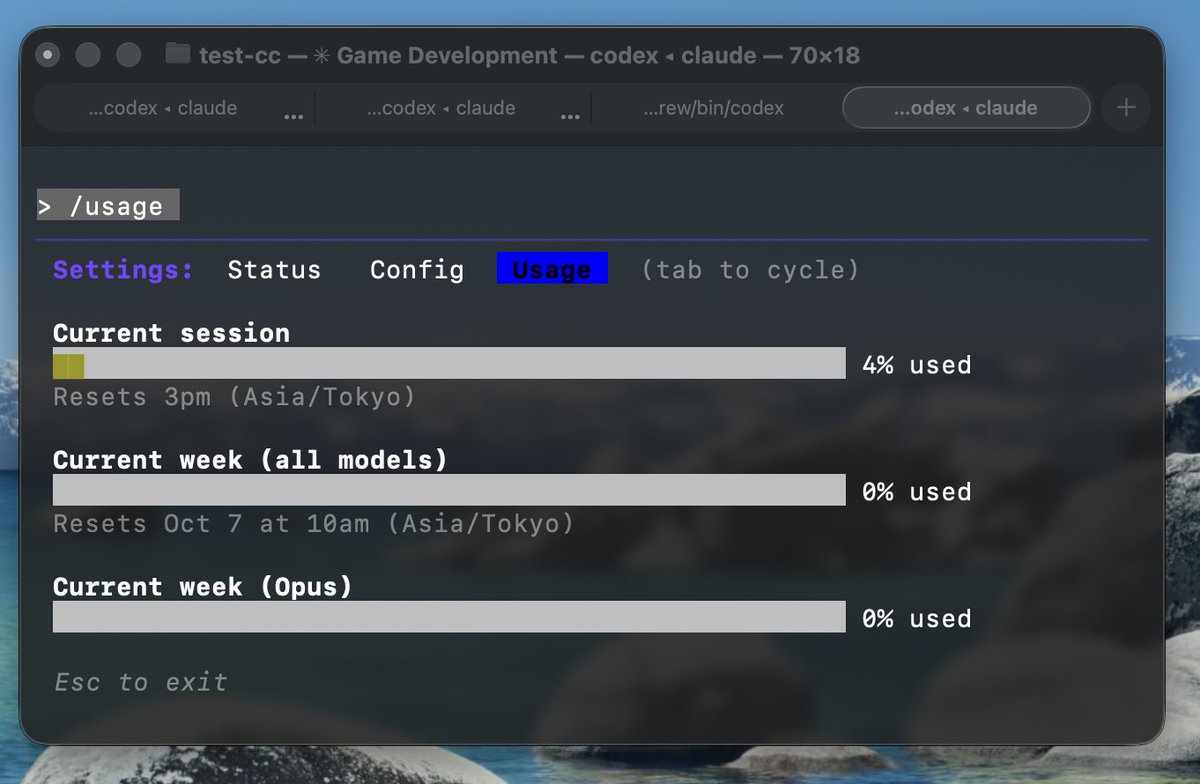
The /usage command lets you check your usage. It displays:
- Current session: Usage for the current 5-hour window
- Current week (all models): Weekly session usage across all models
- Current week (Opus): Weekly session usage for Opus
Now you can check how much usage remains before hitting the rate limit. A change was also added to allow navigating to /status or /config screens using the Tab key.
At the time of writing, Opus seems to reach its usage limit faster than before. You might want to use Sonnet 4.5 when appropriate.
Tab Key to Toggle Thinking Mode (Persists Across Sessions)
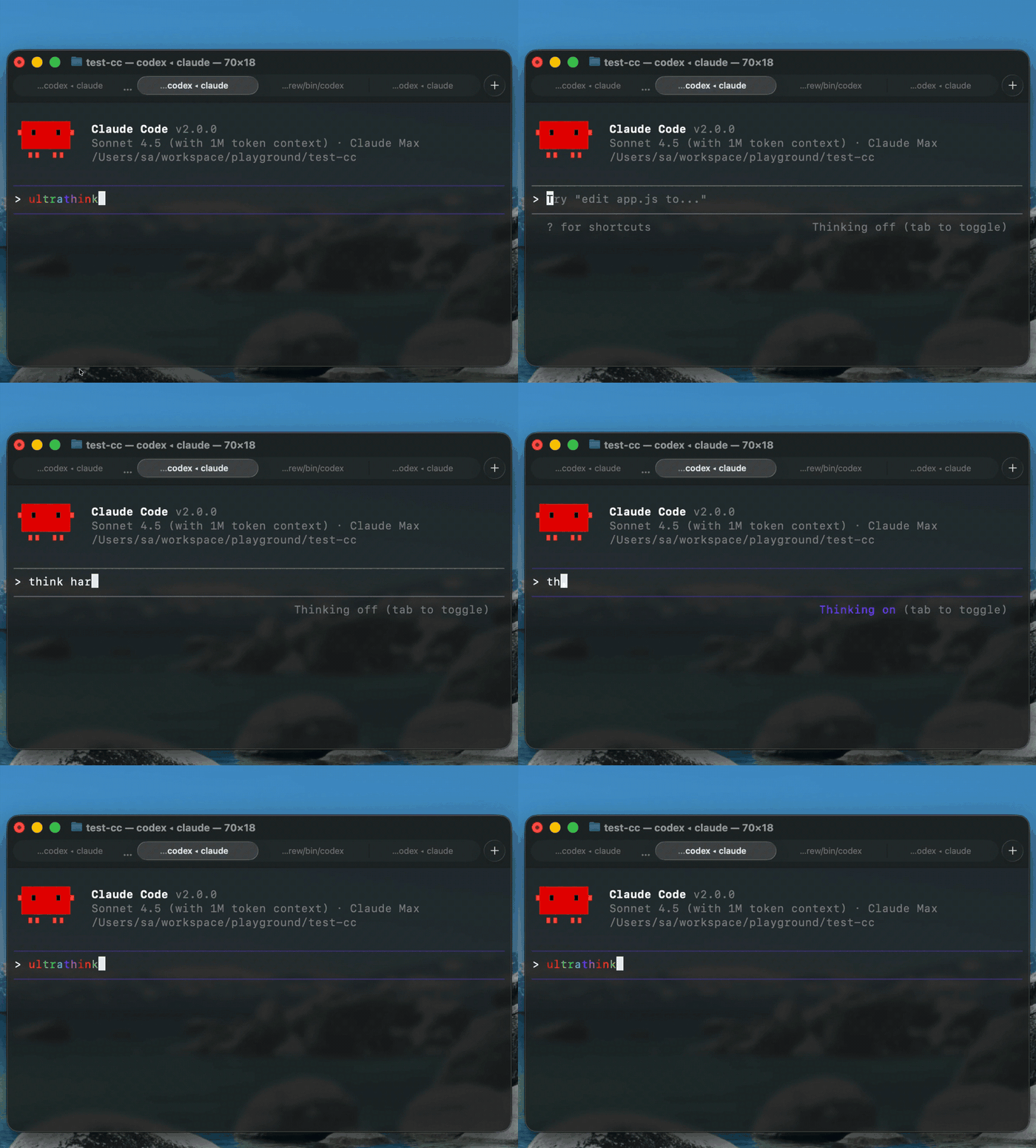
You can now easily toggle Thinking mode with the Tab key. This setting persists across sessions.
This eliminates the need for magic words like “think” or “think hard.” No more wondering about the right phrasing.
Upon investigation, when Thinking mode is enabled, it appears to activate ultrathink (31,999 tokens). ultrathink still works as a magic word and will enable Thinking mode regardless of the toggle state.
Ctrl+R for History Search
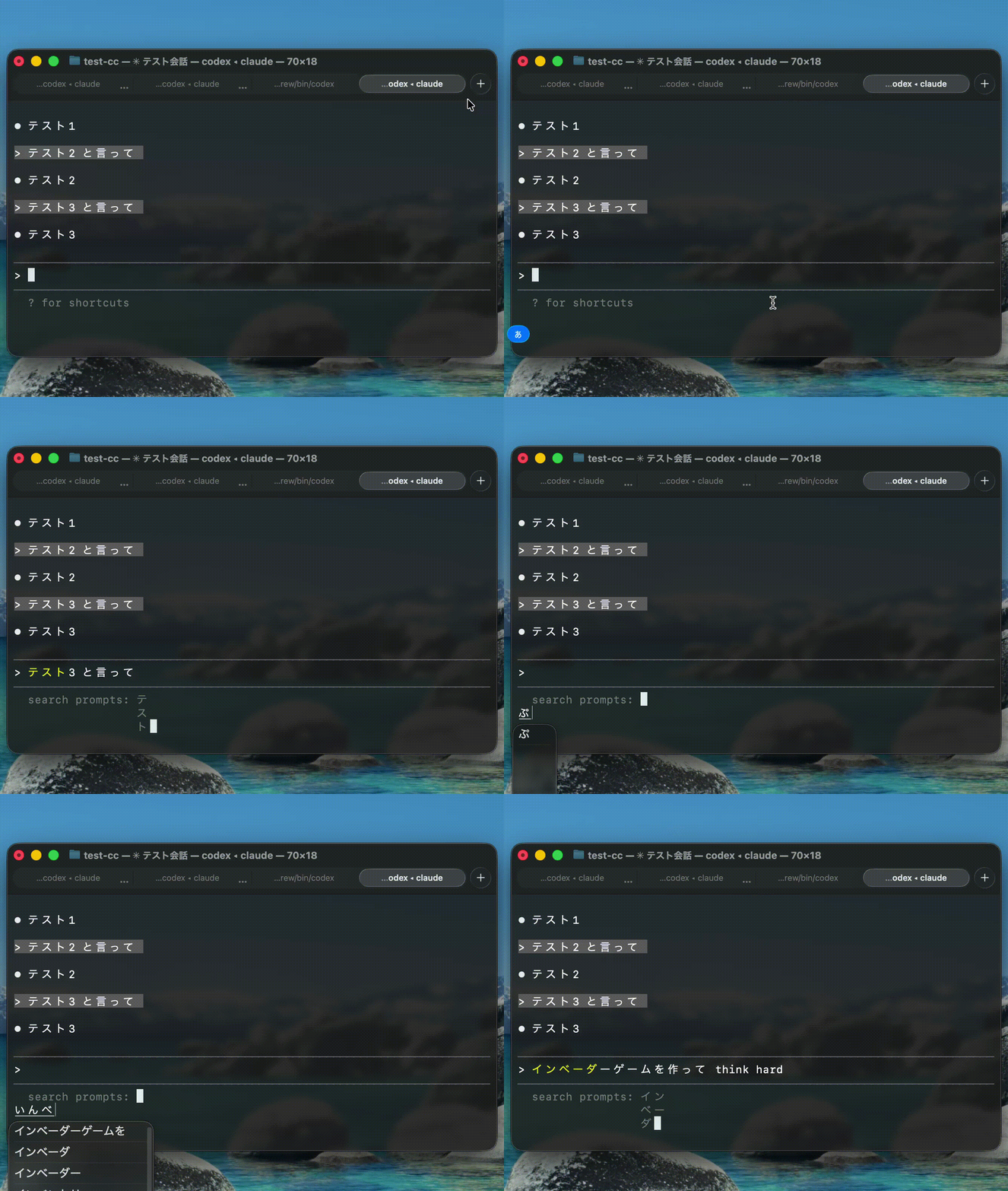
Pressing Ctrl+R now lets you search and reuse past prompts.
Recent history appears first, and pressing the key repeatedly goes further back. Reusing prompts has become significantly more convenient.
Claude Code SDK Renamed to Claude Agent SDK
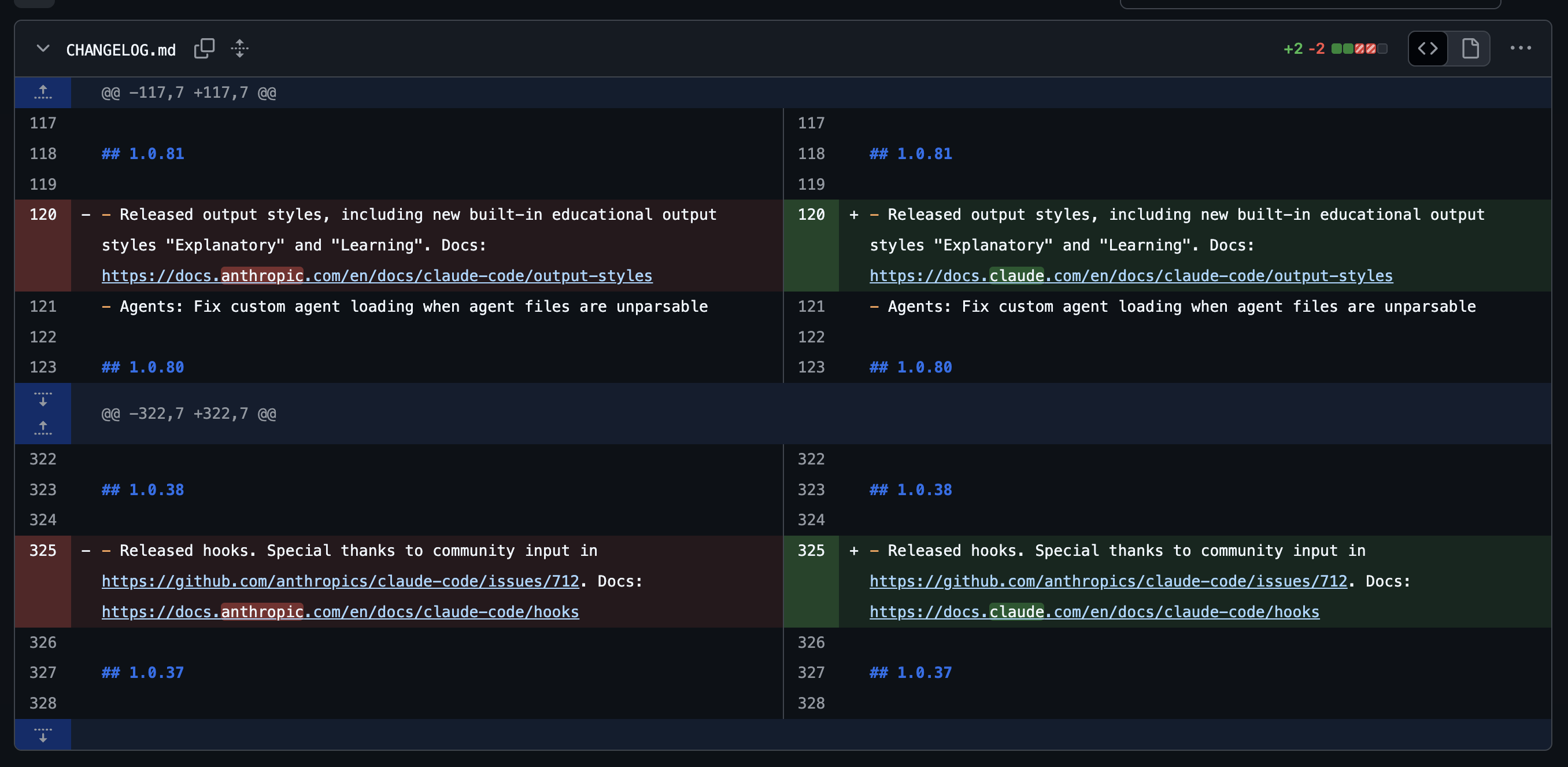
Claude Code SDK has been renamed to Claude Agent SDK.
As a side note, Anthropic recently changed its domain to Claude, which suggests they want to unify everything under the Claude family branding.
--agents Flag for Dynamically Adding Subagents
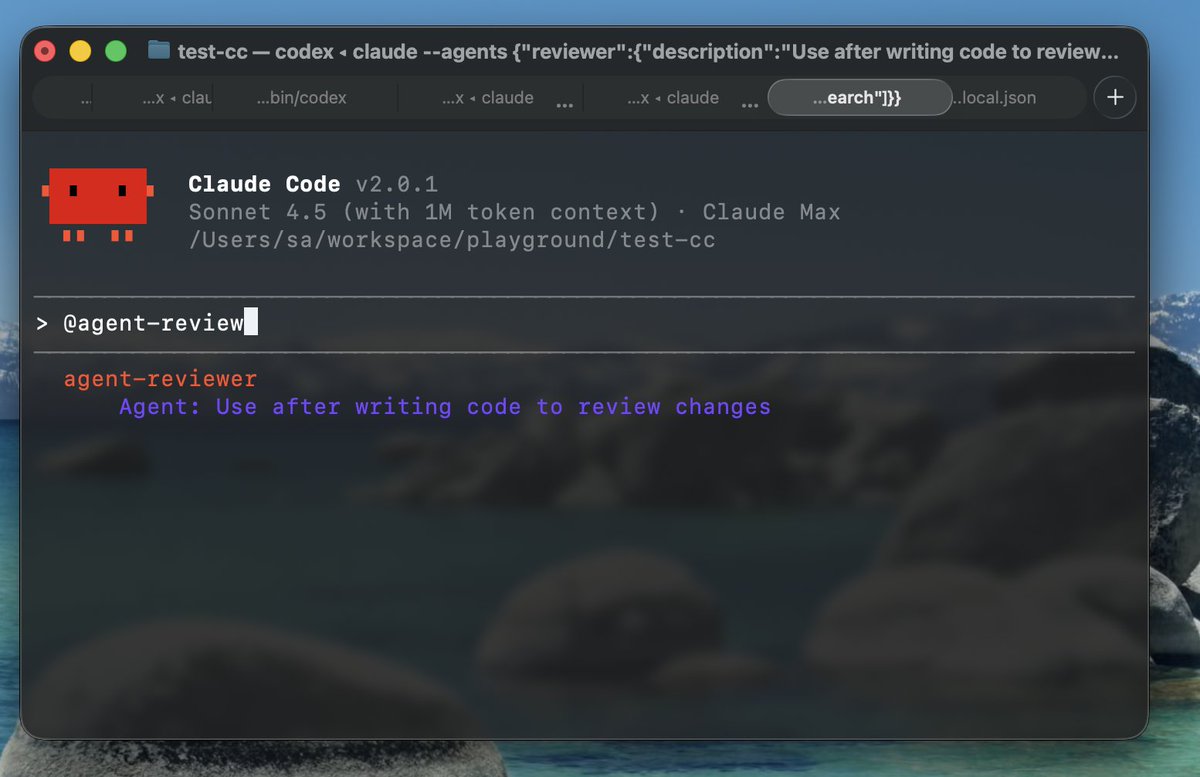
You can now add subagents at startup using the --agents flag. For example:
claude --agents '{"reviewer":{"description":"Use after writing code to review changes","prompt":"You are a meticulous code reviewer. Focus on bugs and regressions.","tools":["ReadFile","Search"]}}'This lets you dynamically use custom agents like @reviewer.

Changes to Available Models
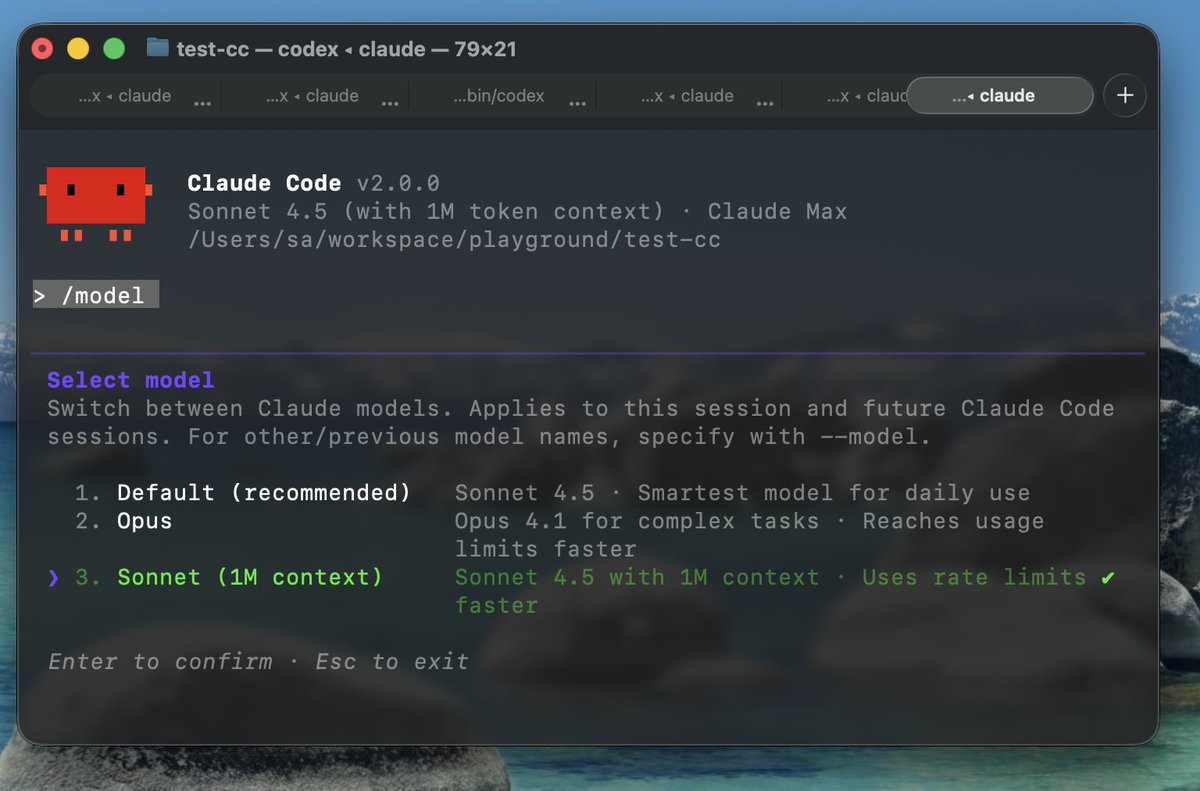
The models available through the /model command have changed:
- Default: Sonnet 4.5
- Opus: Opus 4.1
- Sonnet (1M context) (only for Max 20x users with access)
Note that the previous Opus-Plan mode (using Opus for planning, Sonnet for execution) has been removed in version 2.0.0.
Changes to CONFIG
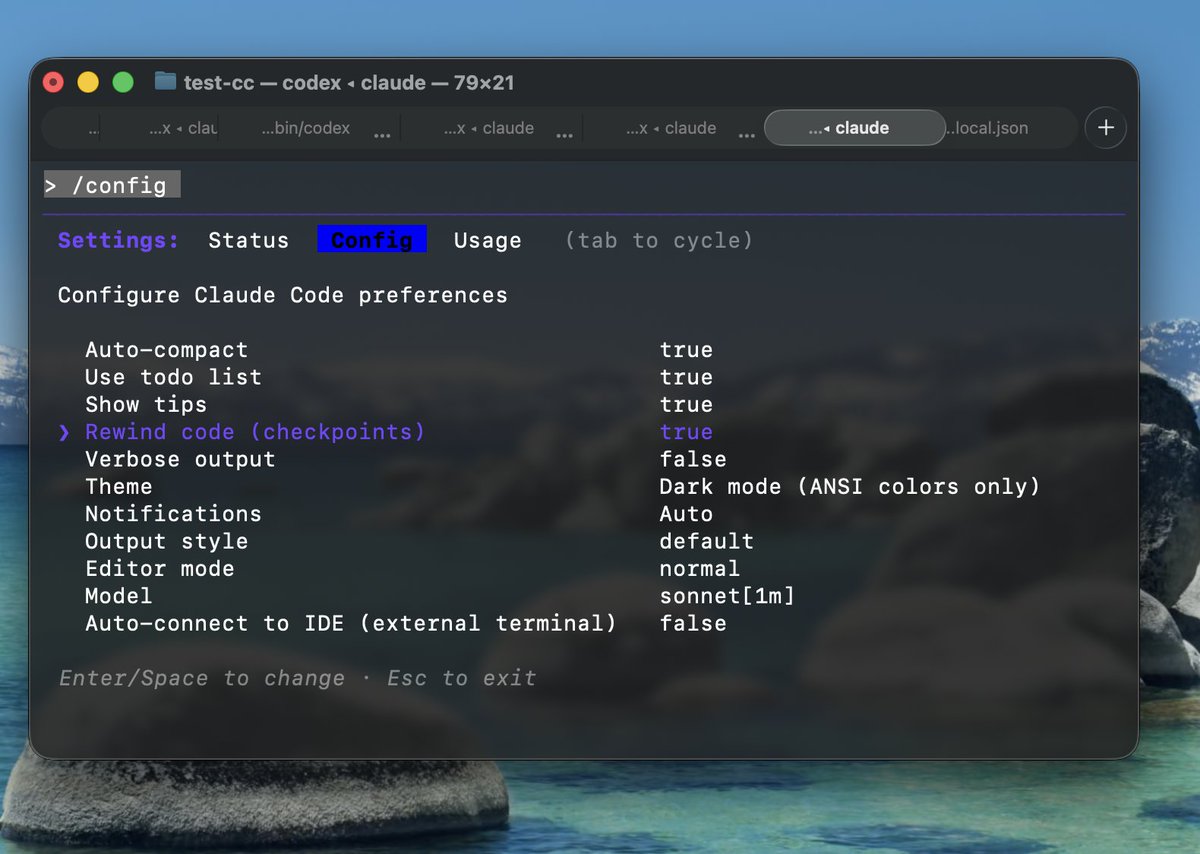
You can now set “Rewind code (checkpoints)” in /config.
Setting this to false skips the code restore confirmation during /rewind, restoring only the conversation.
Summary
This article covered the long-awaited 2.0.0 major update for Claude Code.
The UI, user experience, and capabilities have changed significantly, so I encourage you to try it out yourself. Personally, I find it even more user-friendly than before.
Follow Me on X
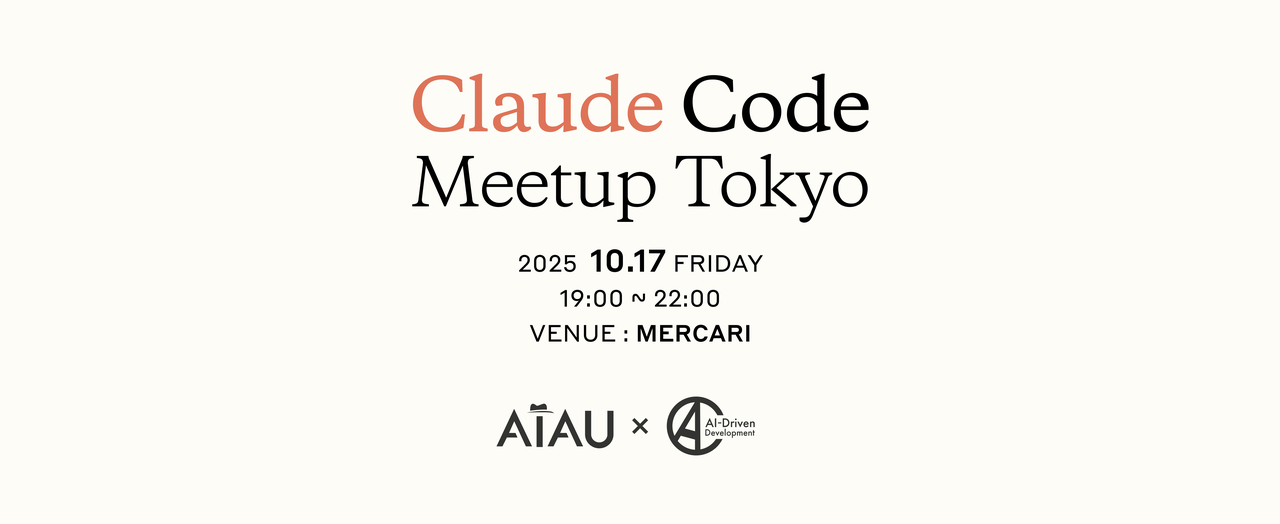
As a quick announcement, I’ll be speaking at Claude Code Meetup Tokyo on October 17, 2025. Feel free to check it out.
I also share information on X, so following me would be much appreciated!
